# Invoicing Guide
For credit top-ups paid through Alipay, you can request an electronic invoice (fapiao) yourself from the Alipay bill — no manual request needed. The 4 steps below cover the whole flow, from locating the bill to receiving the invoice.
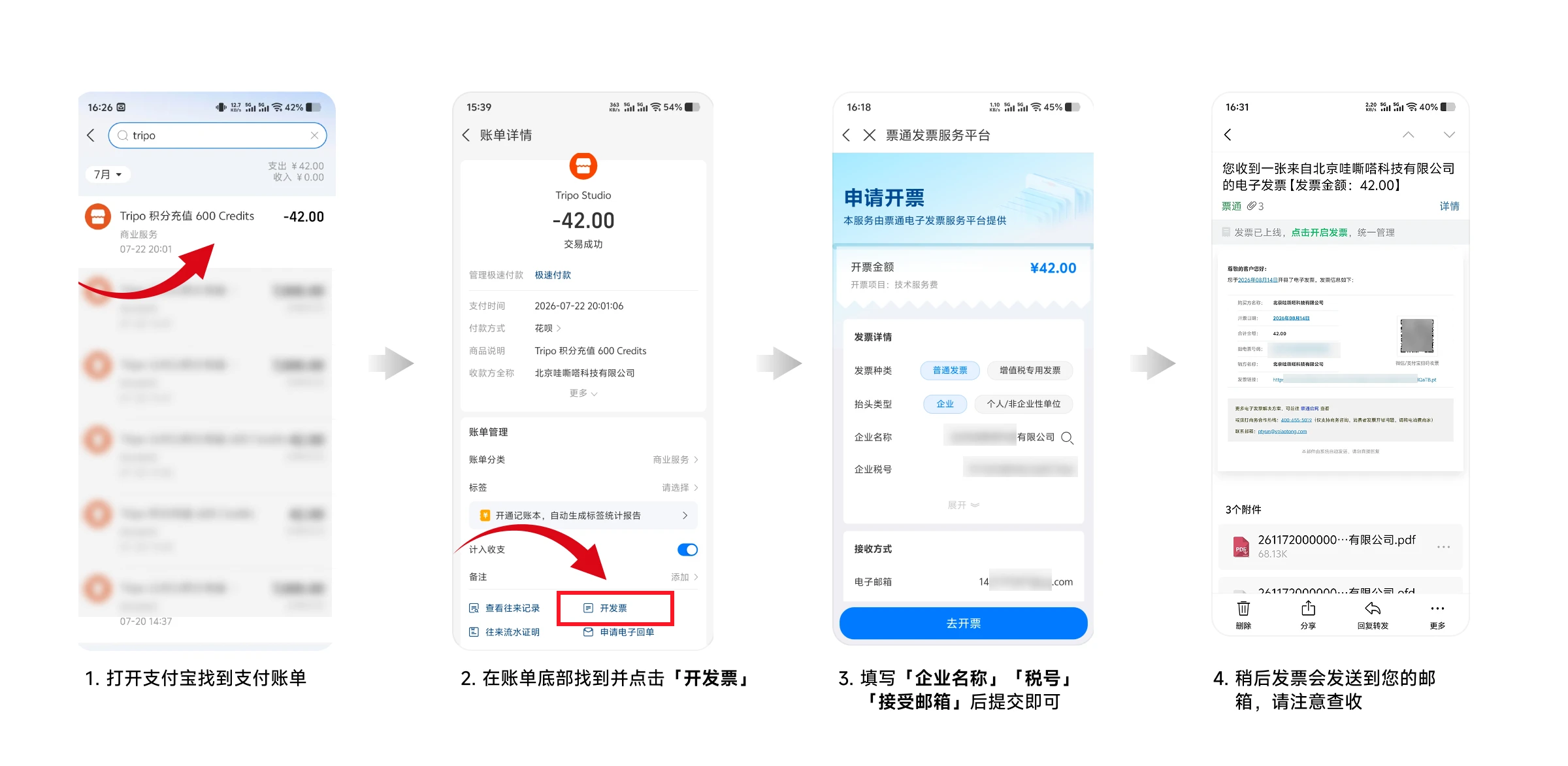
## 01 | Find the payment bill
Open the Alipay app, search your bills for "tripo", and locate the record for this top-up (the item description looks like "Tripo 积分充值 600 Credits"). Tap it to open the bill details.
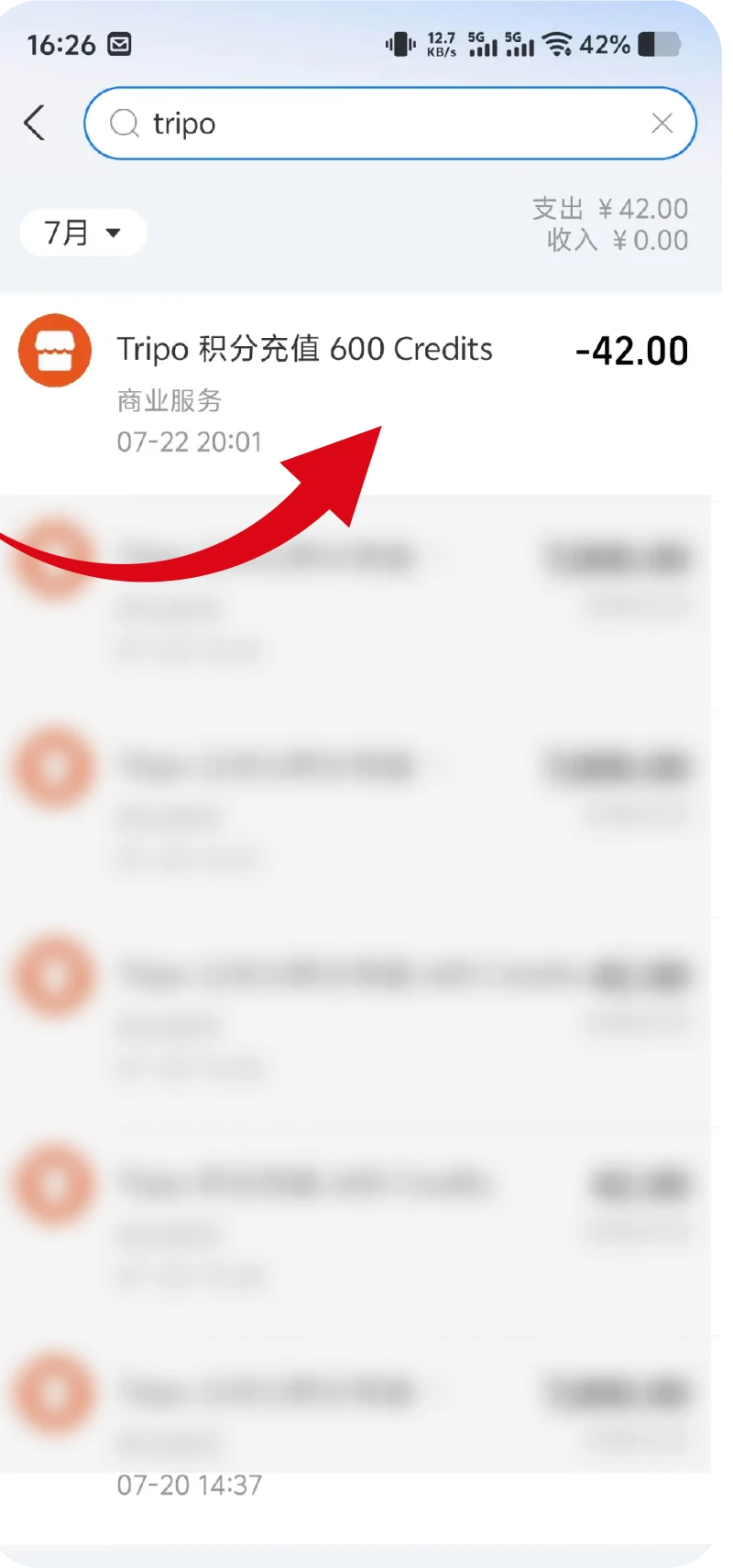 ## 02 | Tap "开发票" (issue invoice)
On the bill details page, verify the payment time, item description and payee name, then scroll to the bill management section at the bottom and tap "开发票" (issue invoice).
## 02 | Tap "开发票" (issue invoice)
On the bill details page, verify the payment time, item description and payee name, then scroll to the bill management section at the bottom and tap "开发票" (issue invoice).
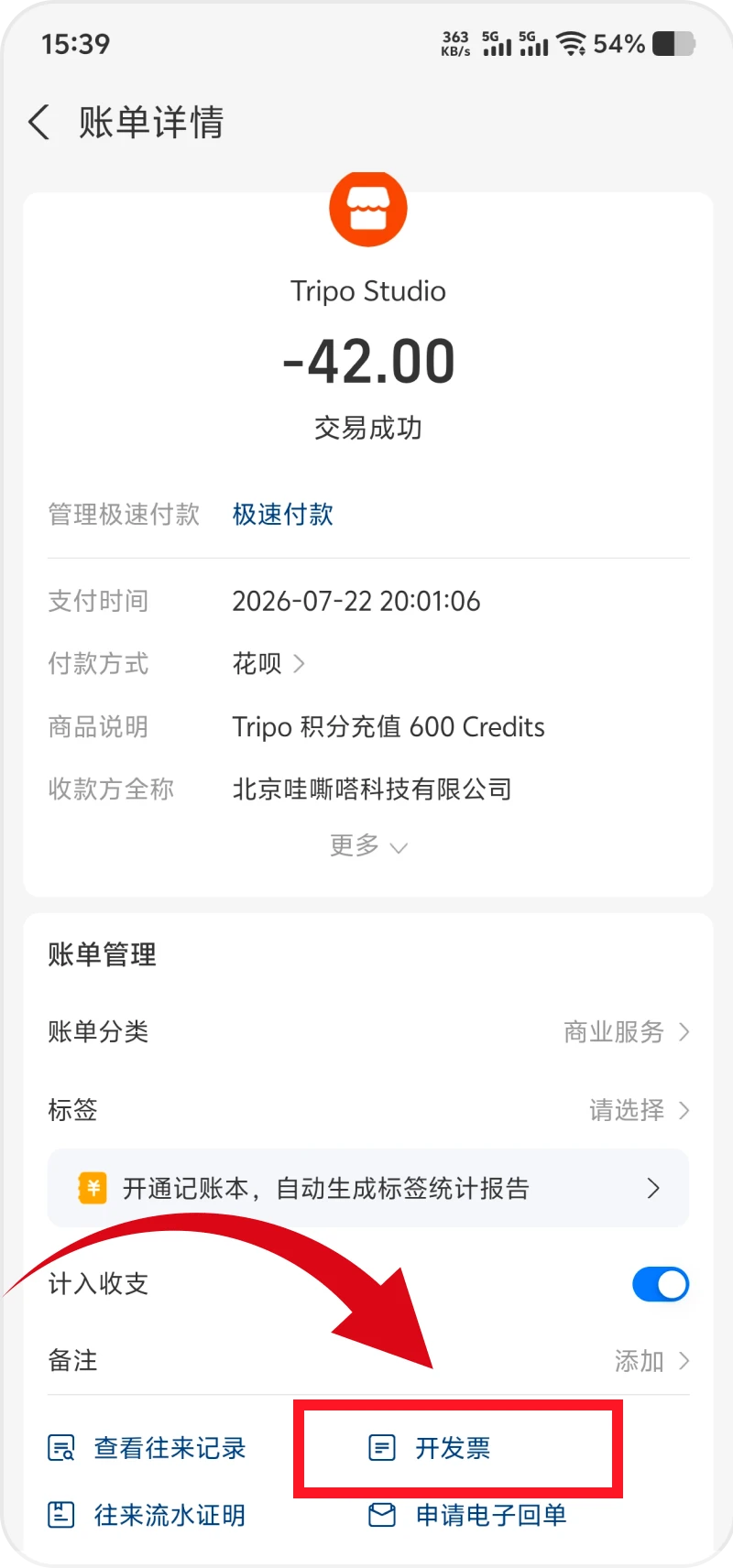 ## 03 | Fill in the invoice details
On the Piaotong invoice service platform, confirm the invoice amount and the invoice item (technical service fee), choose the invoice type (regular invoice or VAT special invoice) and the title type (company, or individual / non-enterprise entity), then fill in the company name, tax ID and recipient email. Tap "去开票" (issue) to submit.
## 03 | Fill in the invoice details
On the Piaotong invoice service platform, confirm the invoice amount and the invoice item (technical service fee), choose the invoice type (regular invoice or VAT special invoice) and the title type (company, or individual / non-enterprise entity), then fill in the company name, tax ID and recipient email. Tap "去开票" (issue) to submit.
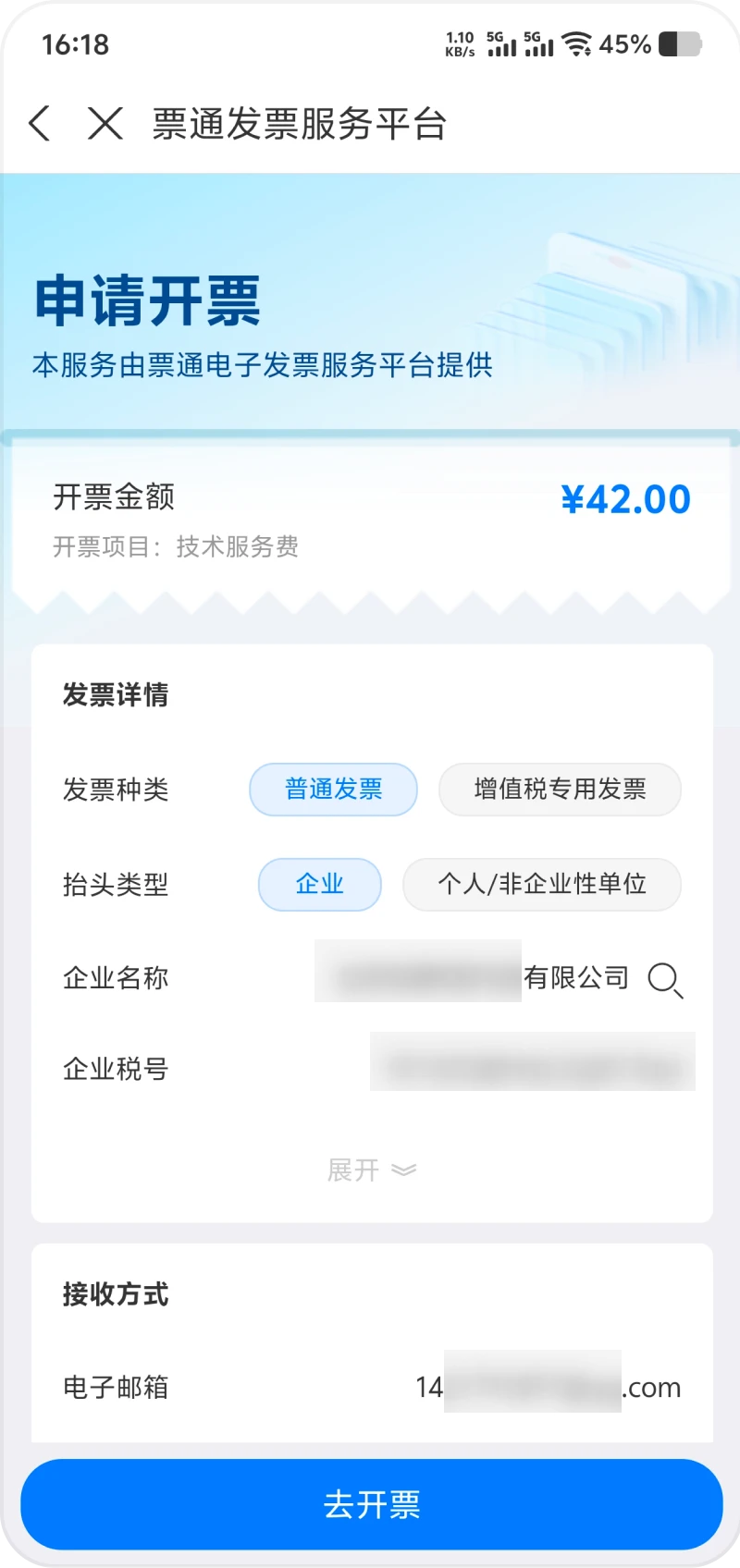 ## 04 | Receive the invoice by email
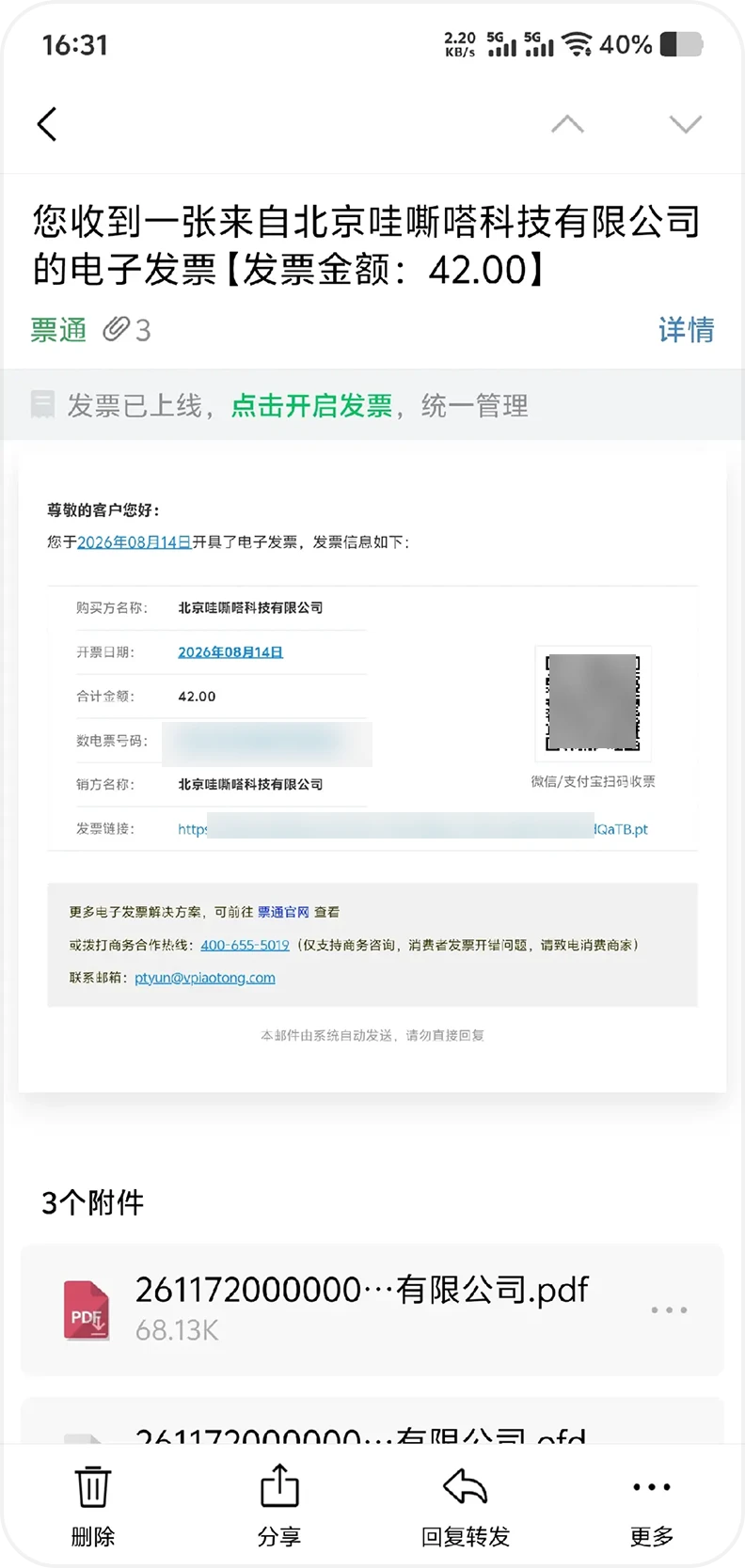
Shortly after you submit, the electronic invoice is emailed to the address you provided, with PDF and OFD attachments you can download for expense claims and bookkeeping.
## 04 | Receive the invoice by email
Shortly after you submit, the electronic invoice is emailed to the address you provided, with PDF and OFD attachments you can download for expense claims and bookkeeping.
 ## Notes
Invoices are issued by the Piaotong electronic invoice service platform. The invoice amount matches the amount actually paid for that order, and the invoice item is a technical service fee. After submitting, keep an eye on your inbox (including the spam folder). If the "开发票" entry is missing from the bill, or you need a reissued invoice or a statement, contact business@tripo3d.com.