

01 / OVERVIEW
Overview
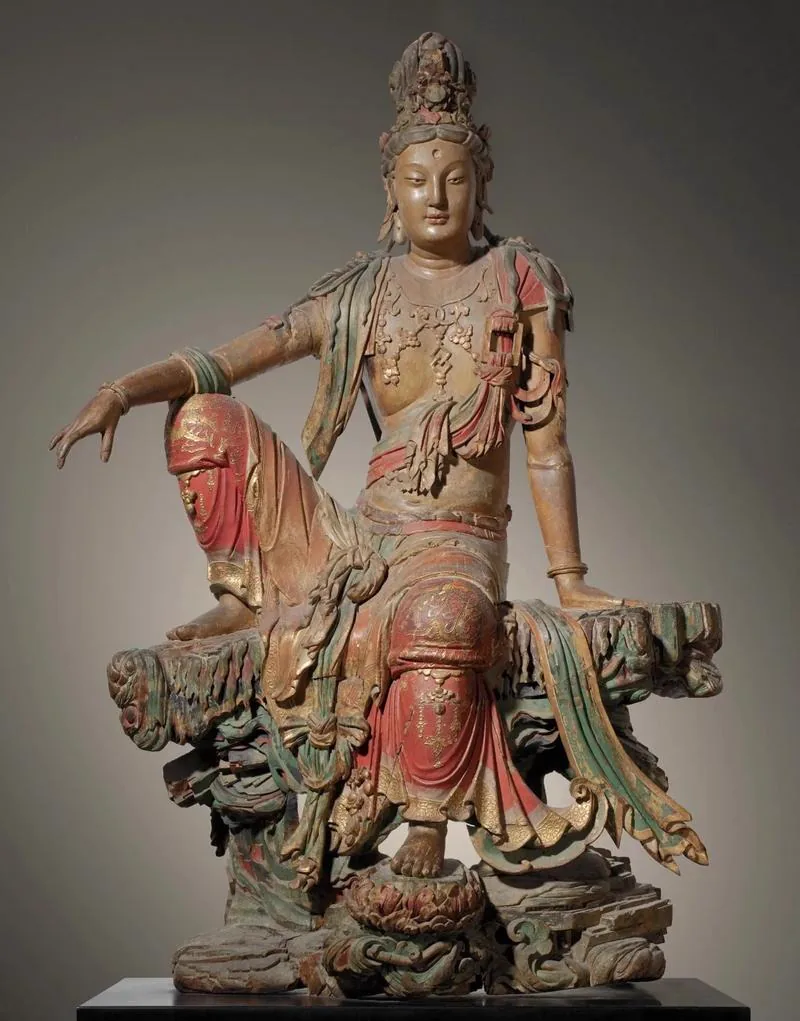
The Liao–Jin Water-Moon Guanyin is a thousand-year-old wooden sculpture seated in royal ease, now in the Nelson-Atkins Museum of Art in the United States. Weathered by time and far from home, it is best brought back through digital restoration.
This guide breaks the Water-Moon Guanyin restoration down into an eight-step workflow proven on the project: reference images and three views, Tripo geometry, ZBrush repair, then texturing, baking and a UE5 scene. Each step covers what to do, which tools to use and what matters most. The last two sections cover the digital-stele method the project produced and the final narrative scene, Zen Temple After the Snow.
Project setup:
- References and views: high-resolution reference images plus Banana AI
- 3D generation: Tripo H3.1 (multiview input, up to 2 million faces), plus Tripo retopology and texture generation
- Sculpting and repair: ZBrush
- Baking and materials: Substance Painter
- Scene and rendering: Unreal Engine 5 (Lumen, Nanite)
02 / OVERVIEW
Two Walls Around Heritage Digitization
Digitizing heritage takes more than a photo and a model. In industrial production, two hurdles really hold it back.
Asset shortage and the efficiency wall
Complex heritage models such as bodhisattvas, caisson ceilings, dougong brackets and embroidery often take one artist weeks to build by hand. Ten IPs a year is practically impossible through traditional outsourcing.
Retopology hell
High-precision scans are huge, 5–20 GB per piece, and cannot go straight into the UE5 Nanite / Lumen real-time pipeline. Manual retopology takes one person 1–2 weeks, and the pipeline collapses as soon as the asset count grows.
AI + 3D: from weeks to minutes
The biggest gain from AI + 3D is not prettier output: it turns the designer from a hand craftsman into a narrative director. Here is how each stage changed on the Water-Moon Guanyin project:
| Stage | Traditional | AI + 3D |
|---|---|---|
| Base mesh | About 1 week | About 1 minute |
| Textures | About 1 week | About 2 minutes |
| Retopology | About 1 week | Automatic |
| Artist focus | Drawing every line | Directing every frame of the story |
03 / OVERVIEW
Why the Water-Moon Guanyin
Three reasons made it the flagship case:
- Form: the royal-ease pose has extremely complex anatomy, a top-level test of how well AI understands geometry.
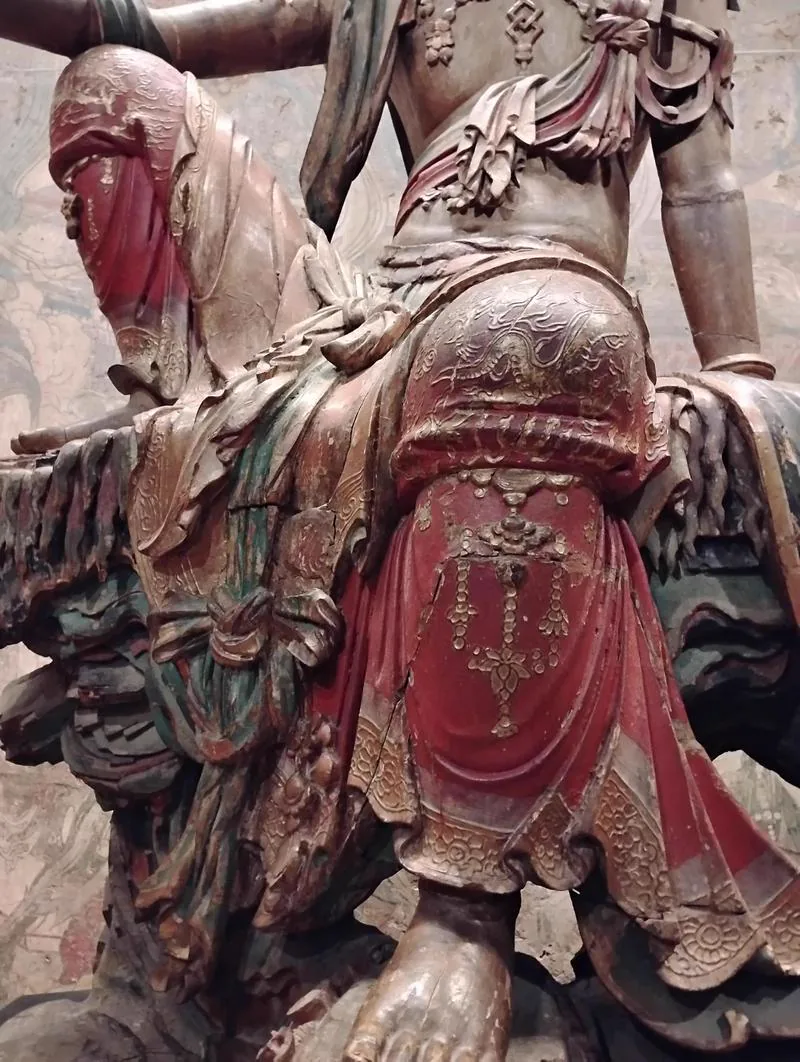
- Detail: the chest necklaces, flowing robes and weathered wood are high-frequency surface details AI has to reconstruct precisely.
- Cultural value: with Tripo, treasures scattered overseas or locked away can return home in digital space.
So the core goal was not to copy a digital sculpture, but to:
- Reproduce the asymmetric anatomy faithfully: this is not a symmetrical seated pose
- Generate high-frequency surface detail automatically: necklaces, drapery folds and weathered grain
- Build a narrative setting across time: not an isolated model, but a scene with a story
What we set out to revive is not a wooden carving, but its spirit.
04 / OVERVIEW
Data Collection and Semantic Breakdown
Goal: gather usable semantic seeds, meaning clear, legitimately sourced and culturally representative source material.
Input / output: high-resolution reference images in, a material pack labeled by semantic layer out.
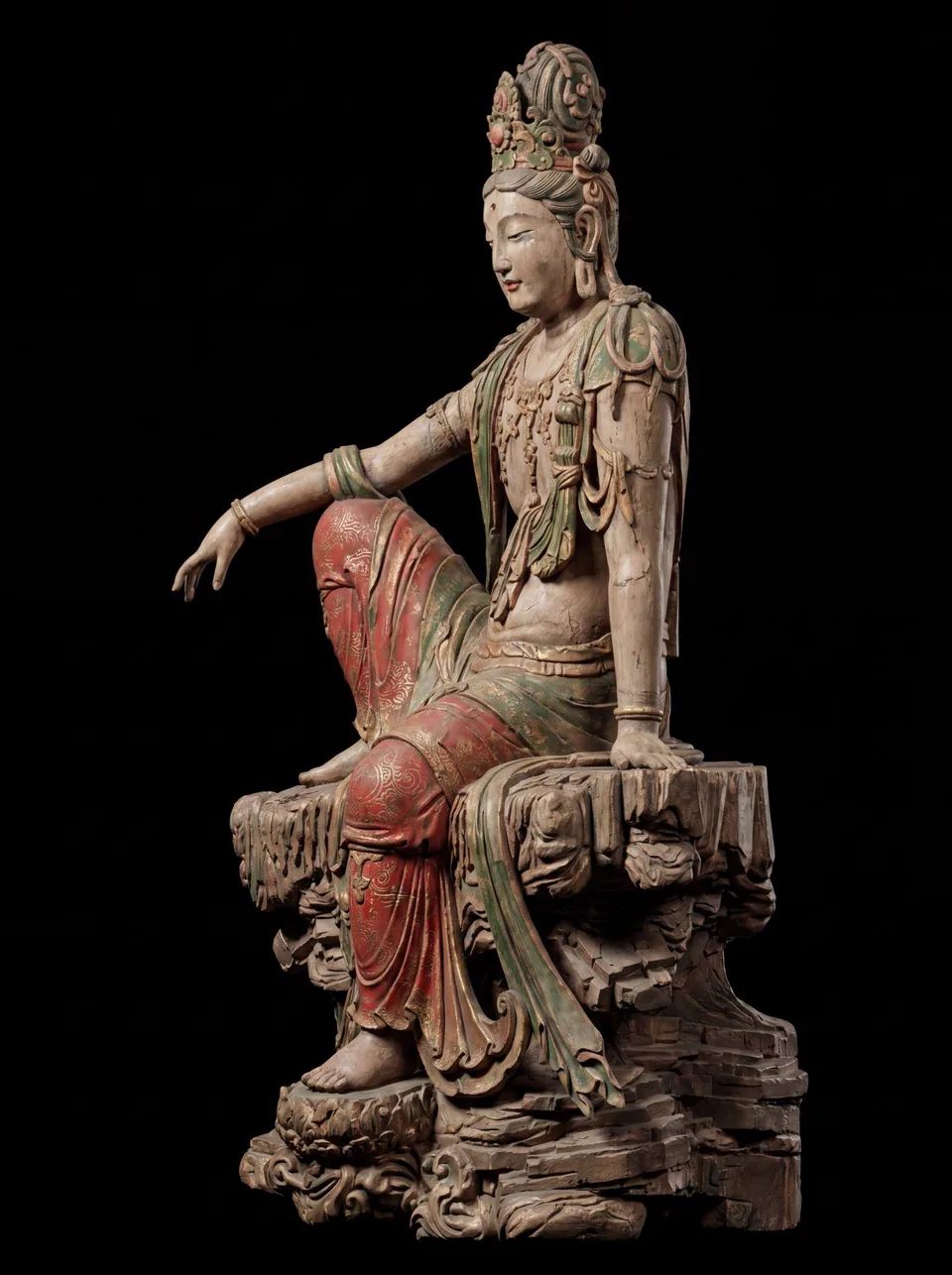
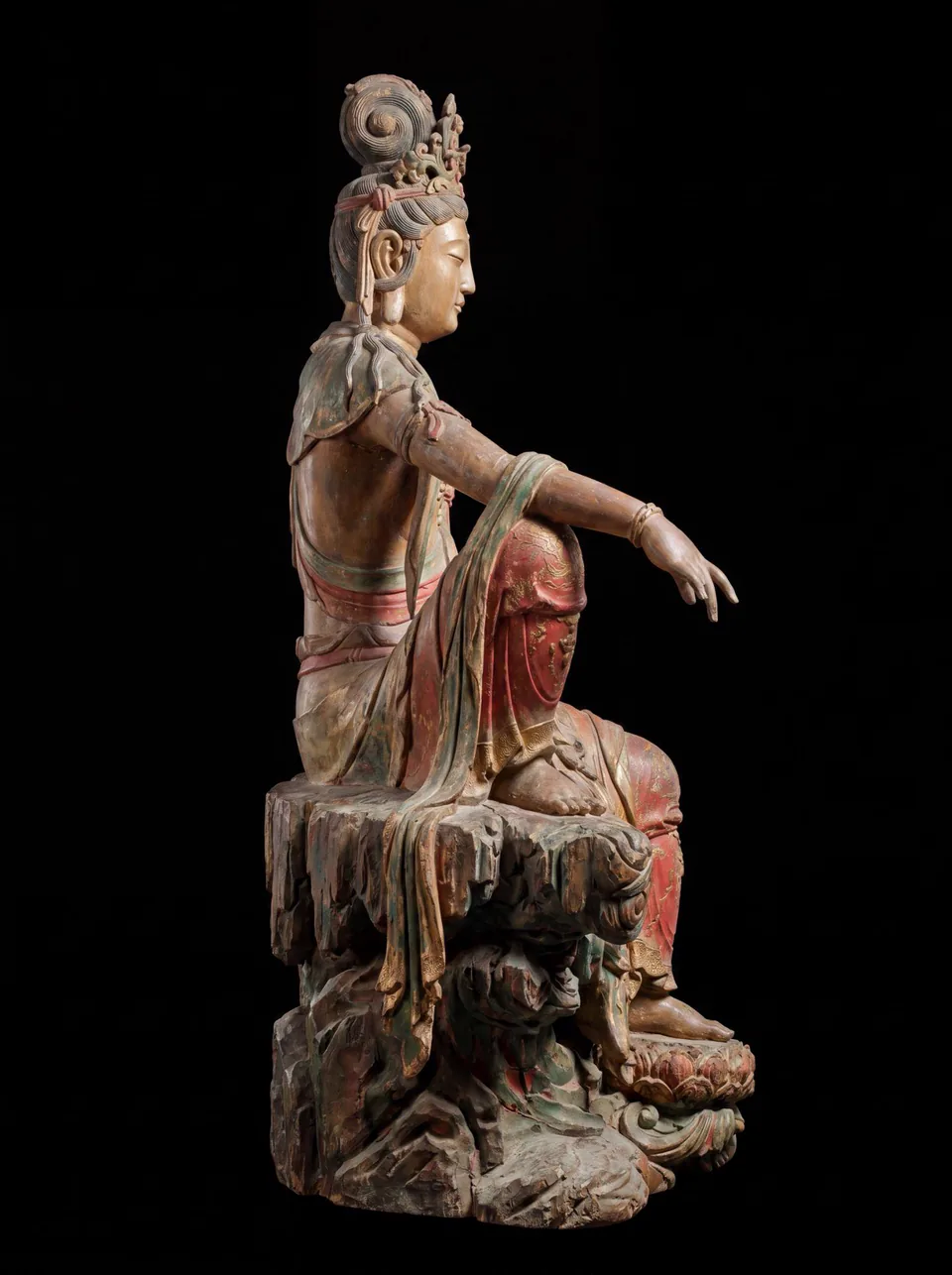
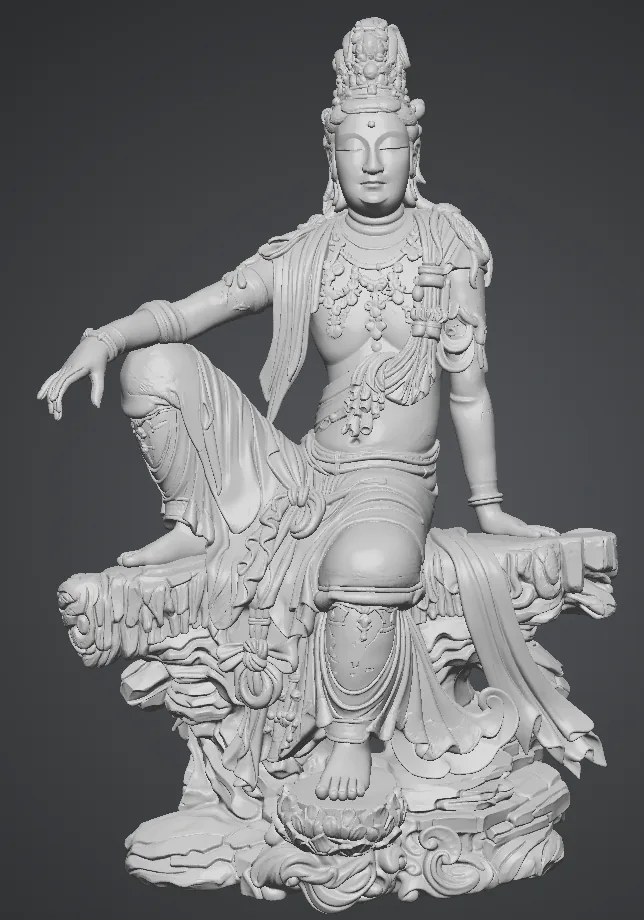
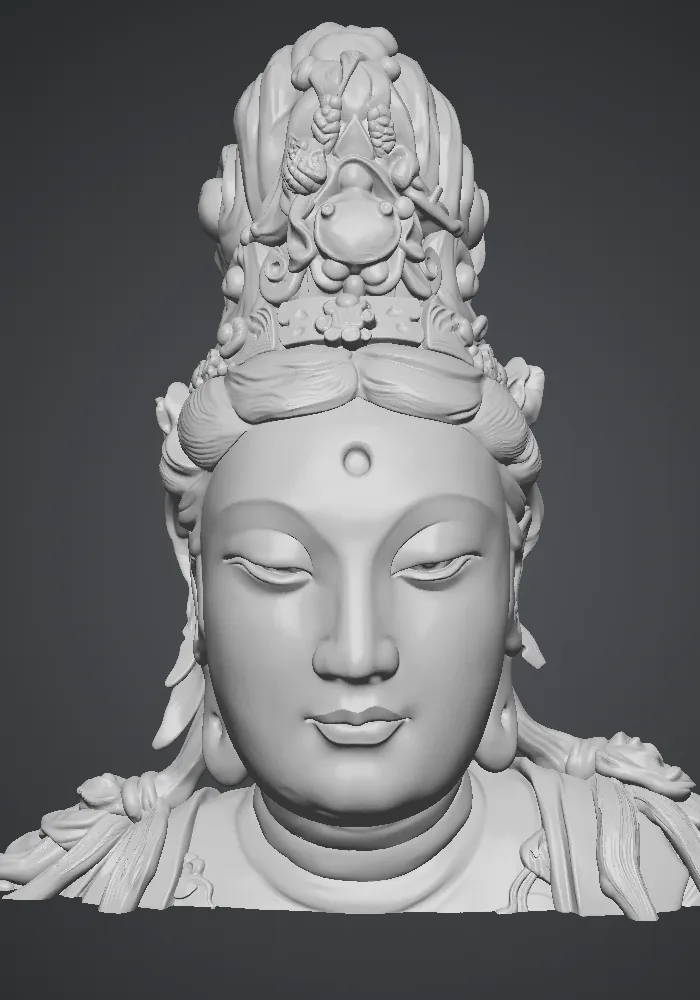
Collect both full views and close-ups, like the two photos above, then file them by layer: pose, face and hair bun, necklaces, drapery and wood grain. The next step picks its seed images straight from this pack.
05 / OVERVIEW
Derive Three Views with AI
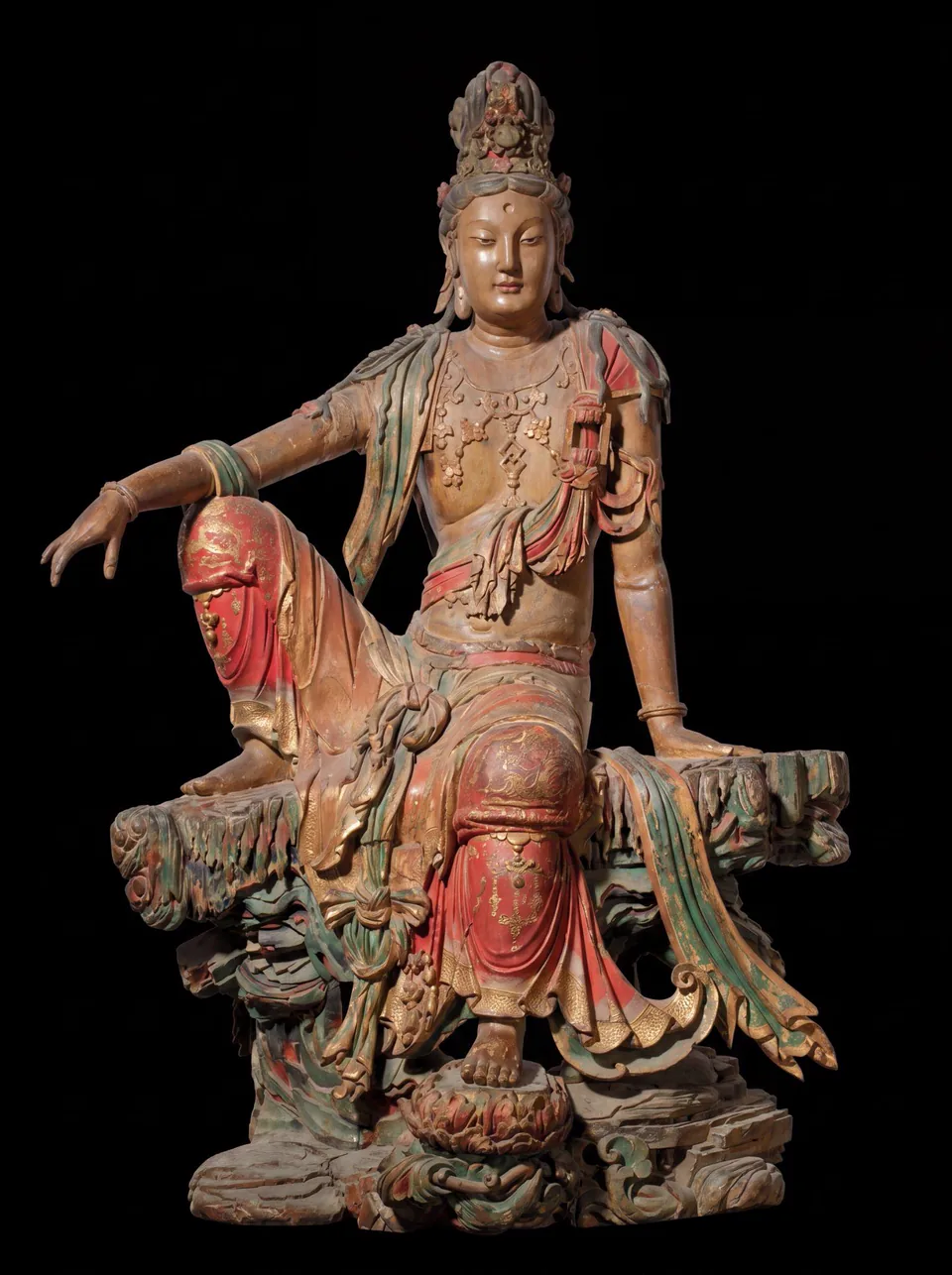
Goal: derive three views from one or a few images so the AI gets the proportions right during 3D generation.
Tools: Banana AI.
Key point: this step sets the proportion accuracy of everything generated afterwards.
- Prepare the seeds: pick the single clearest image as the main reference, plus three to six of the most representative, least occluded images.
- Derive the views in Banana AI: every view must line up exactly, even to the naked eye.
06 / OVERVIEW
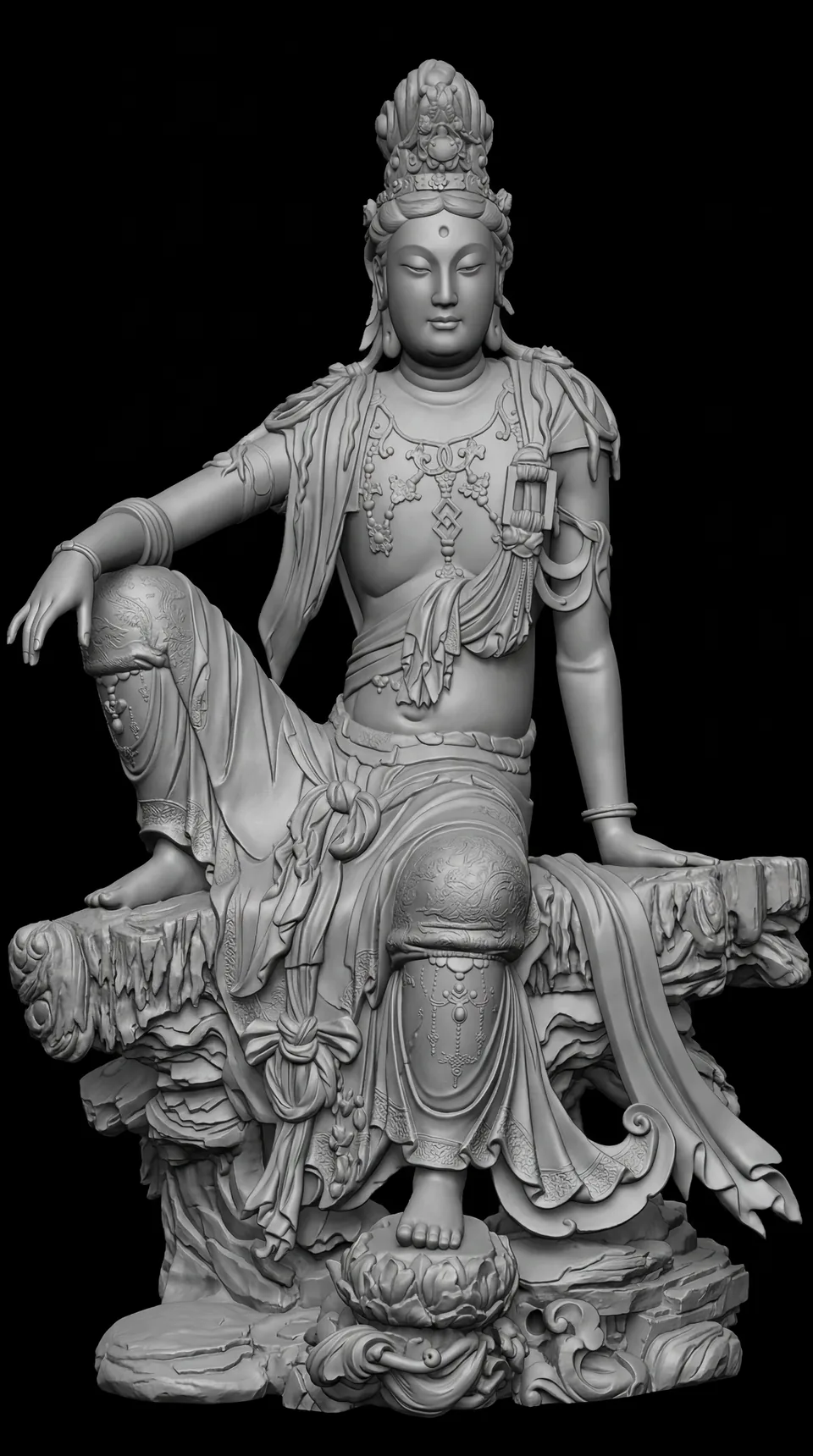
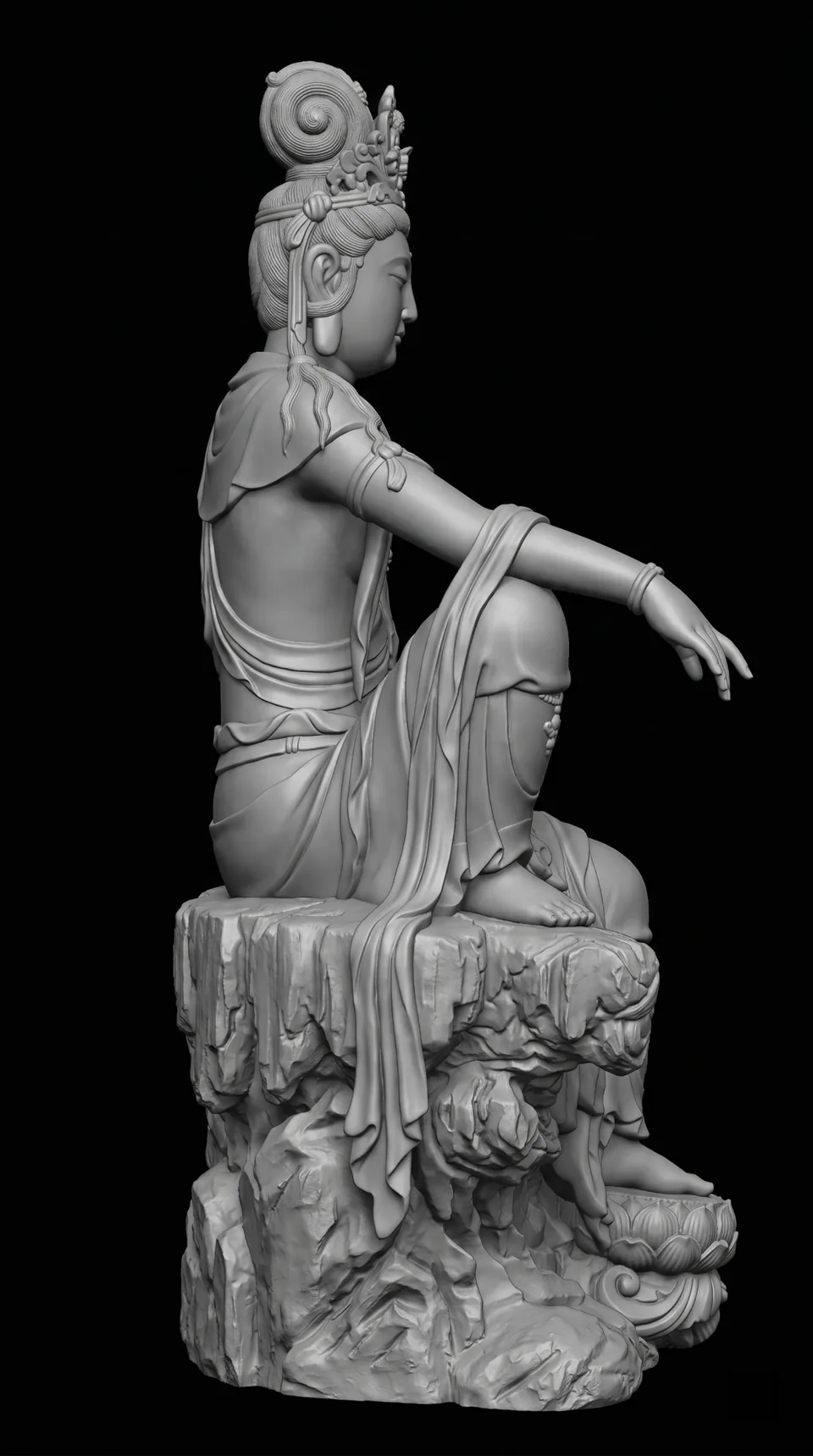
Check the Form with Matcap
Goal: lock the skeletal framework while still in 2D so the 3D generation does not drift.
Tools: a Matcap material (single-light feedback) with a gray-model preview in ZBrush or Blender.
Key point: Matcap takes color out of the picture, so your eye judges only whether the shape is right.
07 / OVERVIEW
Generate the Geometry with Tripo
Goal: build the geometric base mesh fast with AI.
Tools: Tripo H3.1, which takes multiview and other multimodal input, reaches up to 2 million faces and understands volumes.
Strengths: up to 2 million faces of high-precision detail, multi-angle input, and automatic completion of areas the images cannot see.
- Prepare several sets of reference prompts or keywords, such as “Water-Moon Guanyin, royal-ease pose, weathered wood carving, Liao–Jin style”, as semantic guidance for generation.
- Compare the results of three different prompts, keep the version closest to the cultural character, and archive it for later tuning.
- Split into components: when precision falls short, split the image into parts and generate each one. The finer the split, the richer the detail.
08 / OVERVIEW
Repair in ZBrush
Goal: combine AI speed with hand finishing for high-precision details such as the fingers, hair bun and necklaces.
Tools: Tripo base mesh, then hand repair in ZBrush.
Division of labor: Tripo builds the 2-million-face base mesh in about a minute; ZBrush handles hand sculpting of broken fingers, the hair bun, the necklaces and similar details.
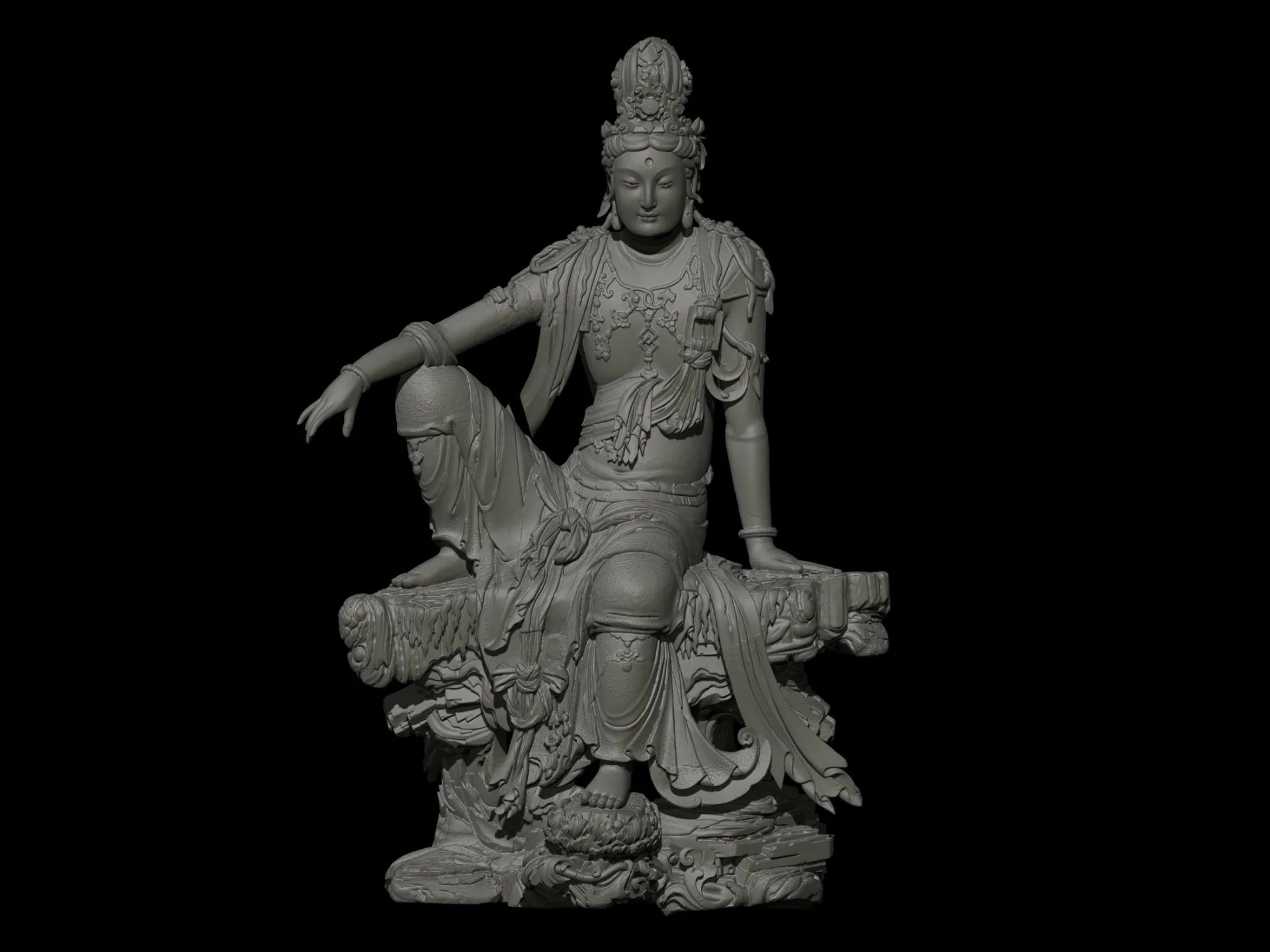
Main settings used during the repair:
| Panel | Settings |
|---|---|
| DynaMesh | Resolution 4096 · Blur 2 · Project on · SubProjection 0.6 |
| Projection | Dist 0.02 · Mean 25 · Geometry on · Color on · PA Blur 10 · Farthest off · ProjectionShell 0 |
| Geometry | SDiv 3 · Lower Res · Del Lower |
| Weld | Weld Points · WeldDist 1 |
Brushes: Smooth, Standard, Move, Move Topological, Clay, ClayBuildup, KnifeLasso, MaskPen, Polish.
09 / OVERVIEW
Second-Pass Texturing
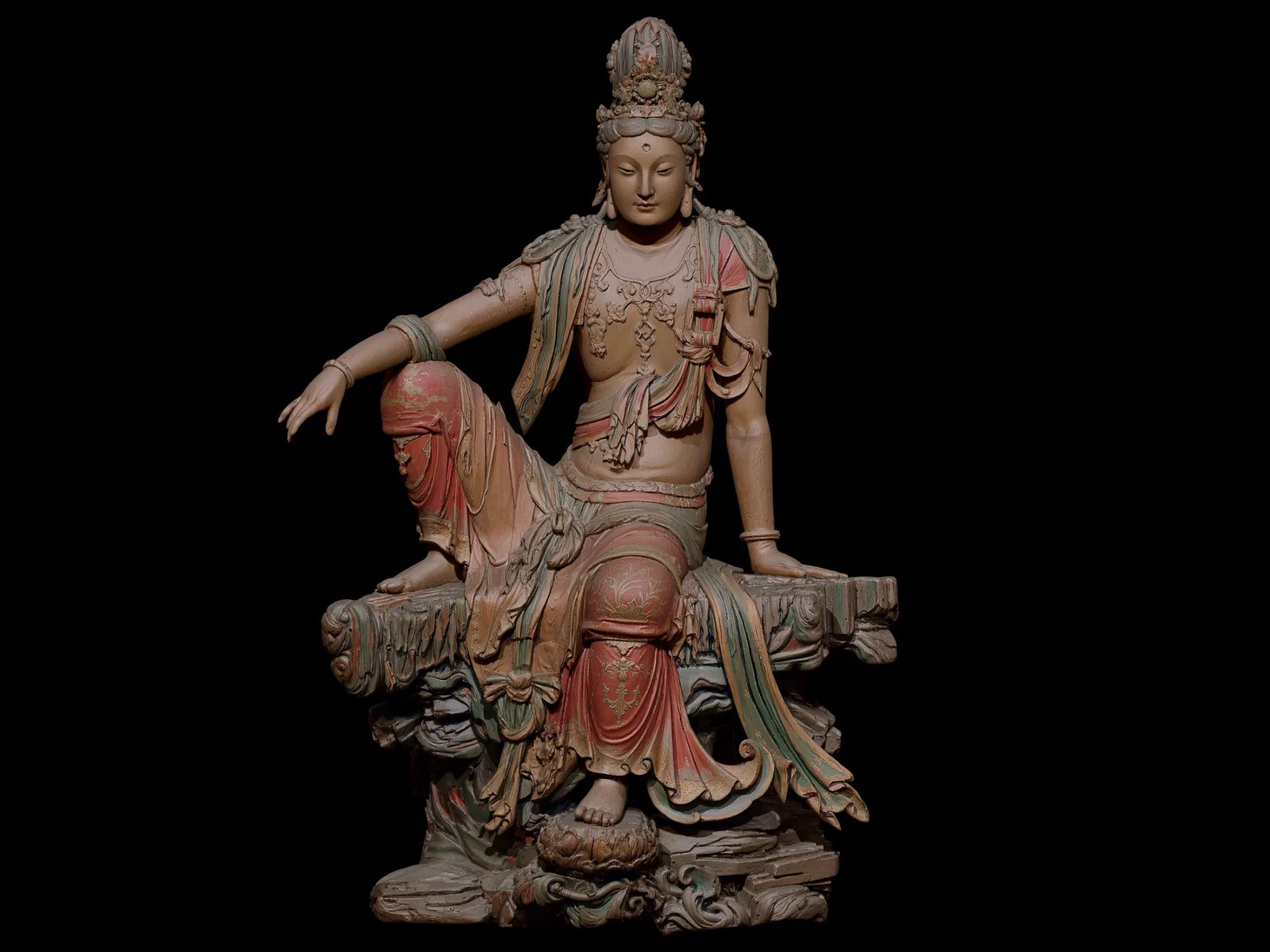
Goal: generate high-precision 4K textures from the high-poly model that bring back the weathered look of peeling paint on old wood.
Tools: Tripo retopology plus texture generation. Decimate the 2-million-face model first: retopologize to triangles at 150,000 faces, then generate the textures.
Key point: the AI uses the three views as reference when generating textures, keeping the sense of history and the cultural traces.
10 / OVERVIEW
Baking and Material Refinement
Goal: bake the high-poly detail into the low-poly model and enter the UE5 real-time pipeline.
Tools: Substance Painter (SP) with high/low-poly matching.
Key point: this step decides whether the asset holds up under changing light in UE5.
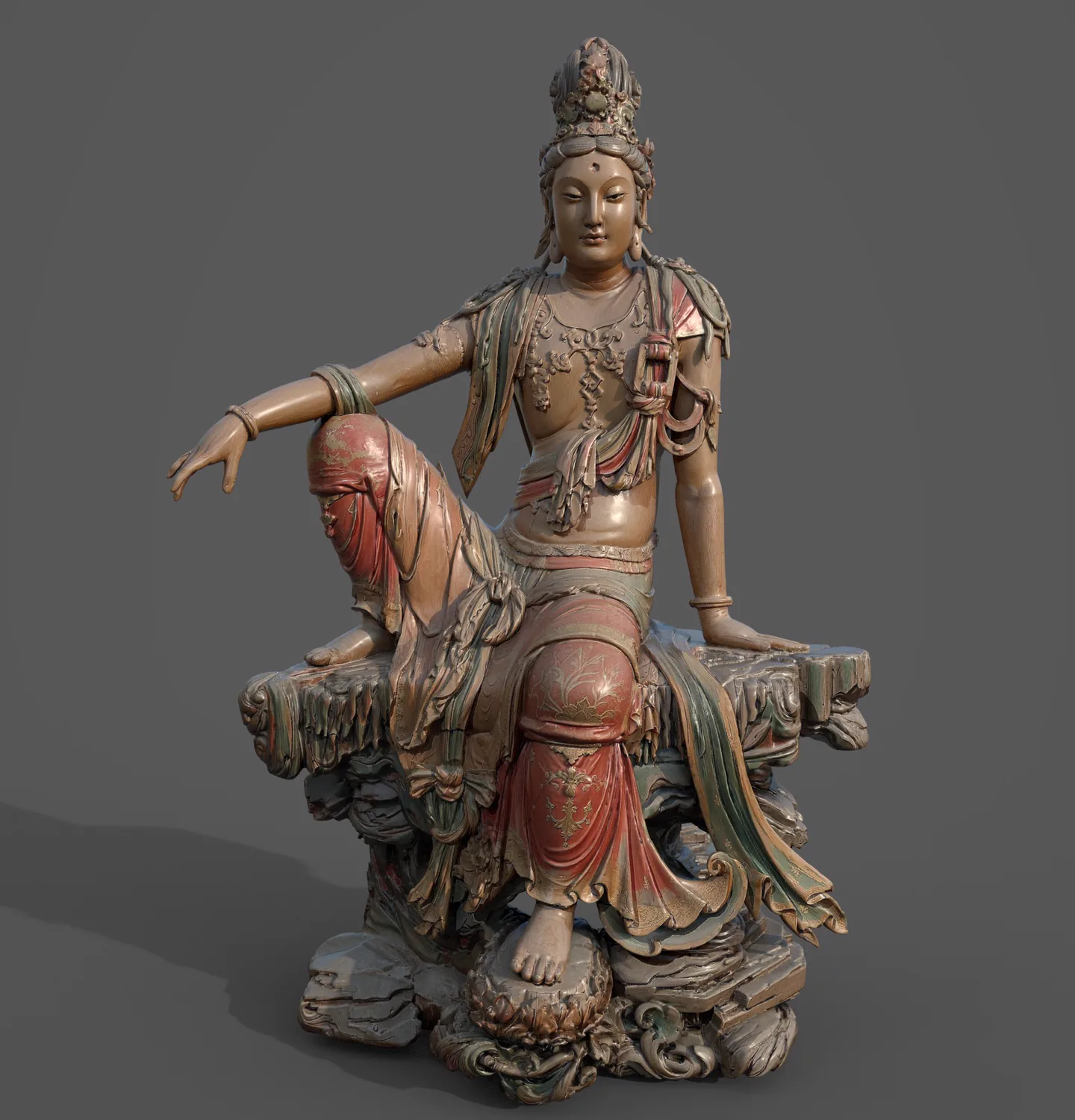
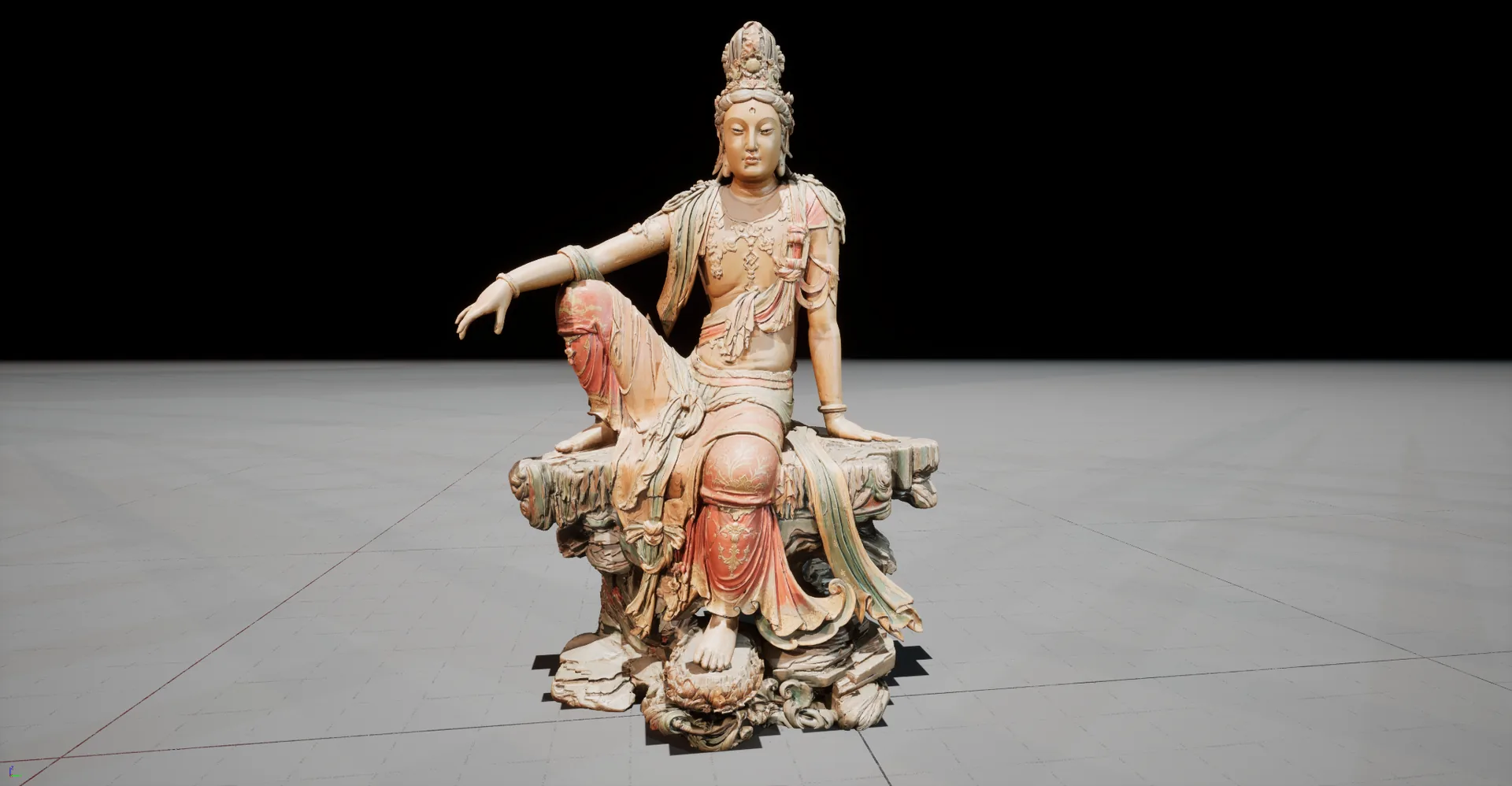
- Budget time for SP: 15–20% of the total, so you don’t discover broken texture detail only after reaching UE5.
- Set a texture naming convention: the full set of five,
_BaseColor/_Normal/_Roughness/_Metallic/_AO, is mandatory. - Test the asset under extreme UE5 lighting: is it stable in strong light, shadow and moving light spots?
To paint textures with AI right inside SP, see this plugin tutorial by Tianyu Xingfan on bilibili (in Chinese):
Substance 3D Painter with NanoBanana for texture painting (bilibili)11 / OVERVIEW
Integrate into a UE5 Scene
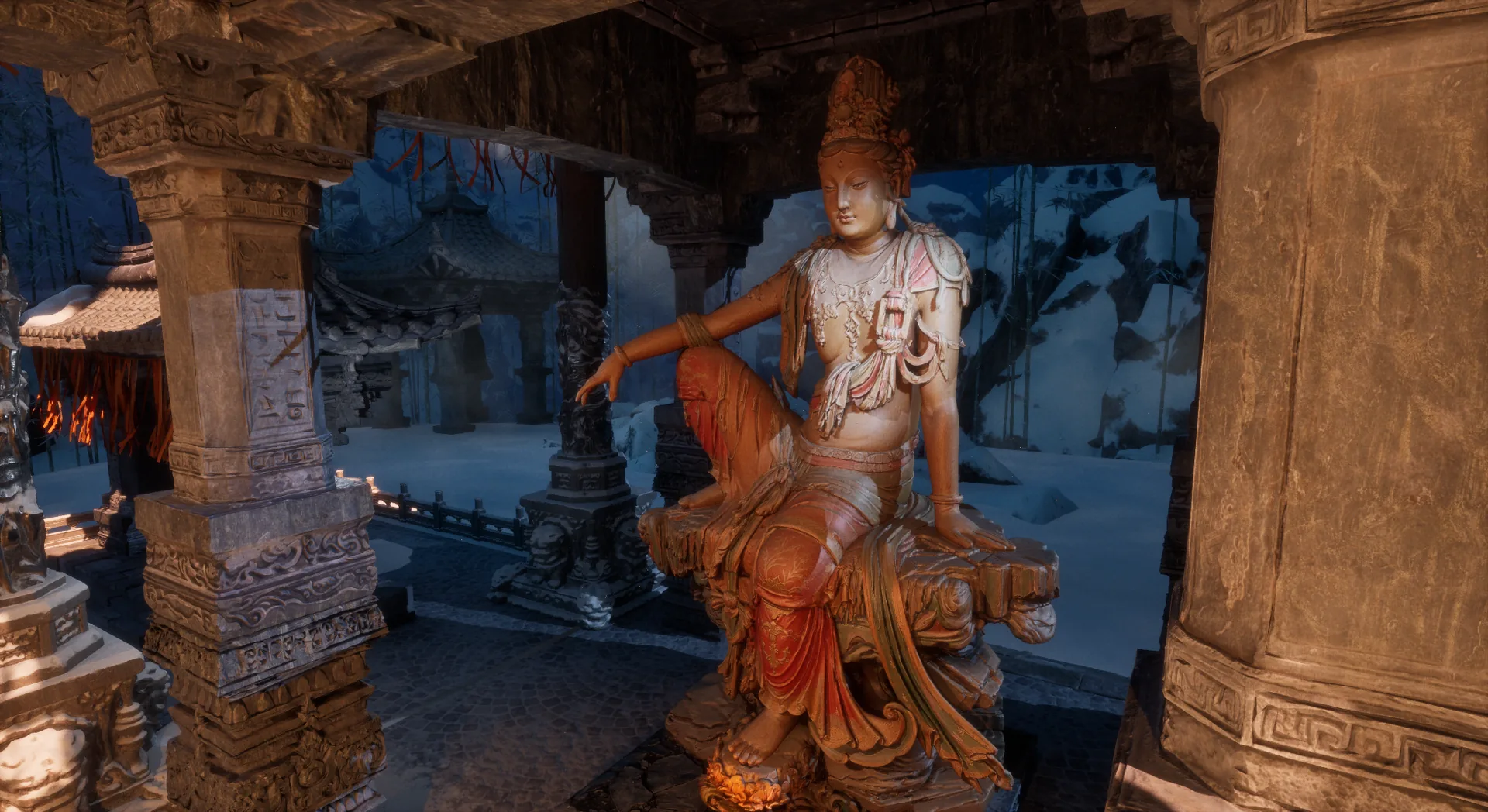
Goal: place the digital asset in a narrative scene so viewers believe it is not a render, but a moment in time with a story.
Tools: UE5 Lumen real-time lighting with Nanite micropolygon geometry.
Key point: storytelling with light and scene design turns the model into a finished work.
12 / OVERVIEW
A Reusable Asset: the Digital Stele
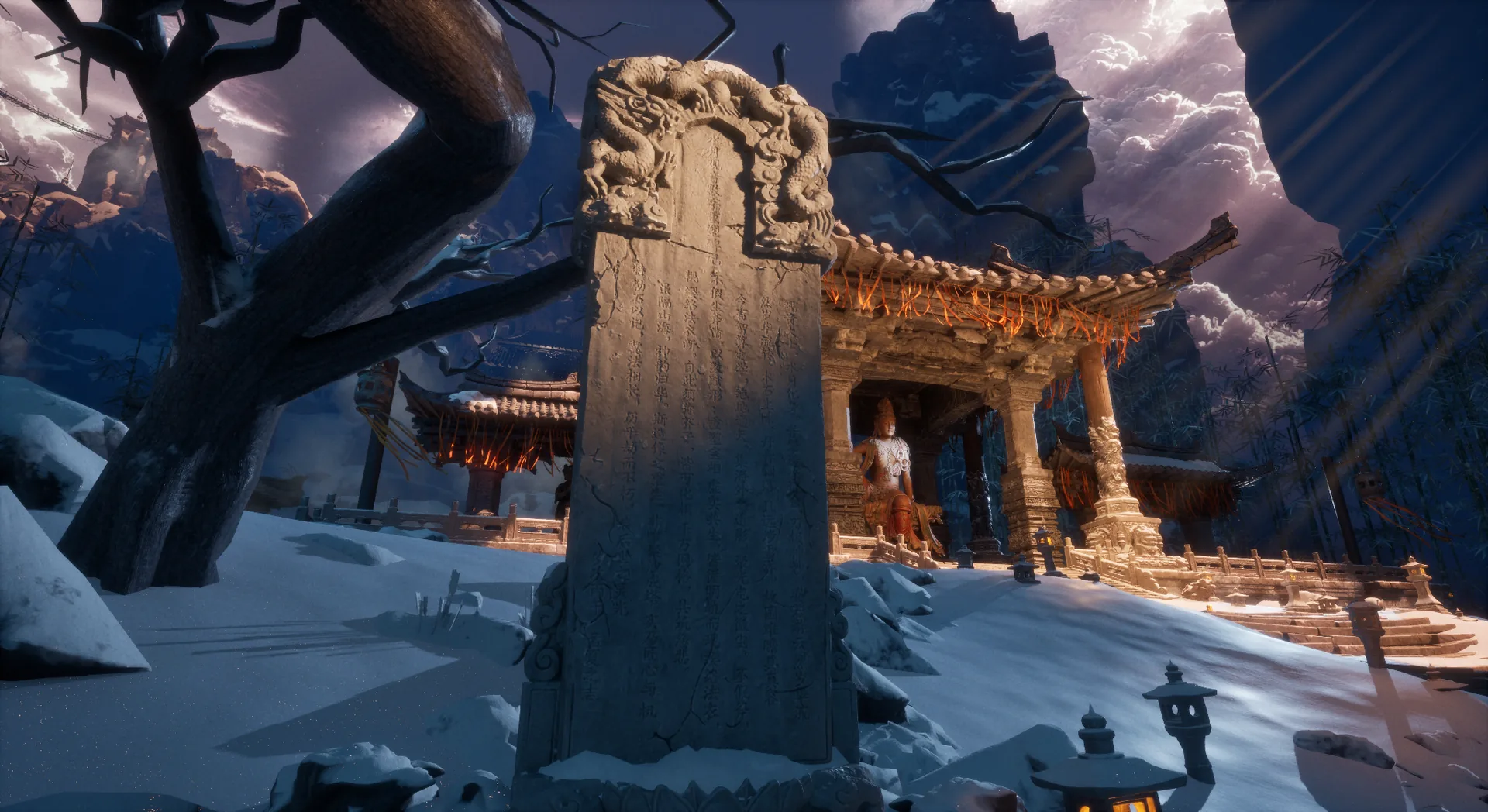
The digital stele is the project’s most inventive side asset: AI turns a traditional inscription into a 3D object you can sculpt. The same method extends to any job that turns a 2D pattern into a 3D model, such as armor patterns, embroidery or carved window lattice.
The inscription
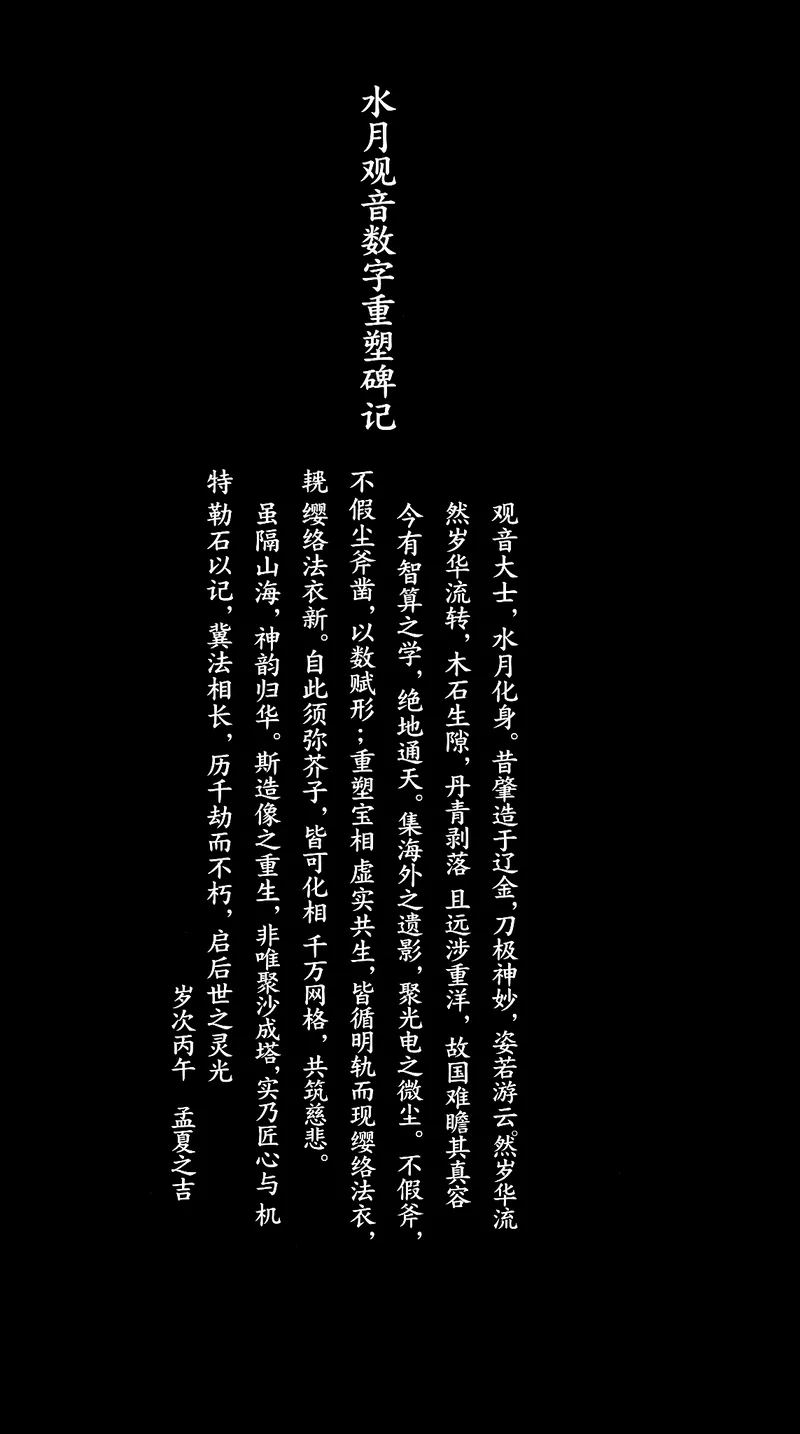
Stele Record of the Digital Rebirth of the Water-Moon Guanyin
Guanyin the Great Bodhisattva, incarnate as the moon in water, was first carved in the Liao and Jin dynasties by a blade of marvelous skill, her bearing like drifting cloud. But the years flowed on, wood and stone cracked, the paint flaked away, and she traveled far across the seas, so that her homeland could no longer look upon her true face.
Today the science of intelligent computation reaches from earth to heaven. Gathering the images she left overseas and the finest motes of light, we give her form through numbers rather than chisels, and rebuild her sacred likeness where the real and the virtual coexist. Every hairline crack reappears along a clear path; her necklaces and robes look new again beneath the light. From now on, from Mount Sumeru to a mustard seed, all things can take form, and ten million mesh faces together build compassion.
Though mountains and seas lie between, her spirit returns to China. This rebirth is not merely sand heaped into a pagoda, but the meeting of craftsmanship and divine ingenuity. We carve this record in stone in the hope that her form endures, imperishable through a thousand kalpas, and kindles inspiration for generations to come.
An auspicious day in early summer, the bingwu year (2026)
How to generate it
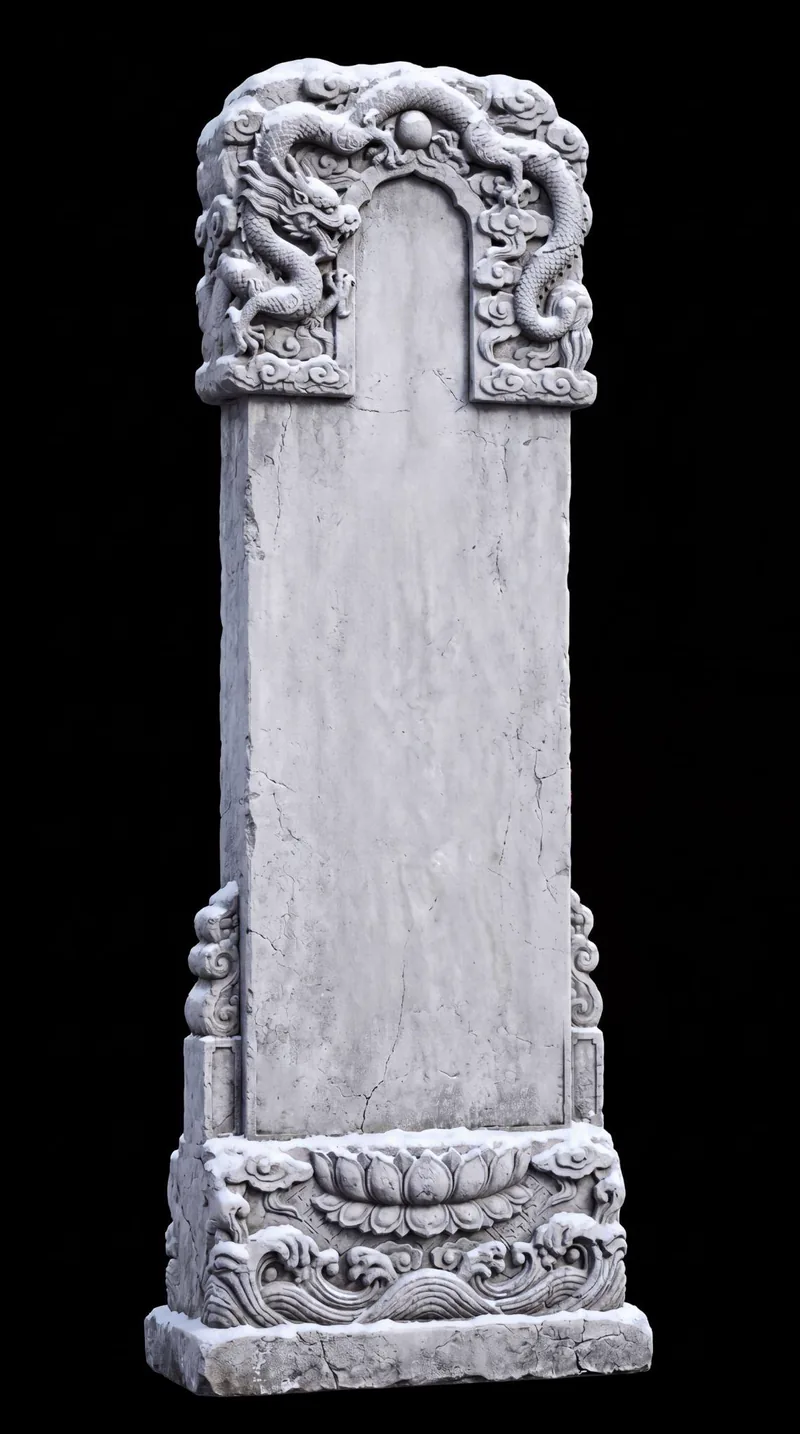
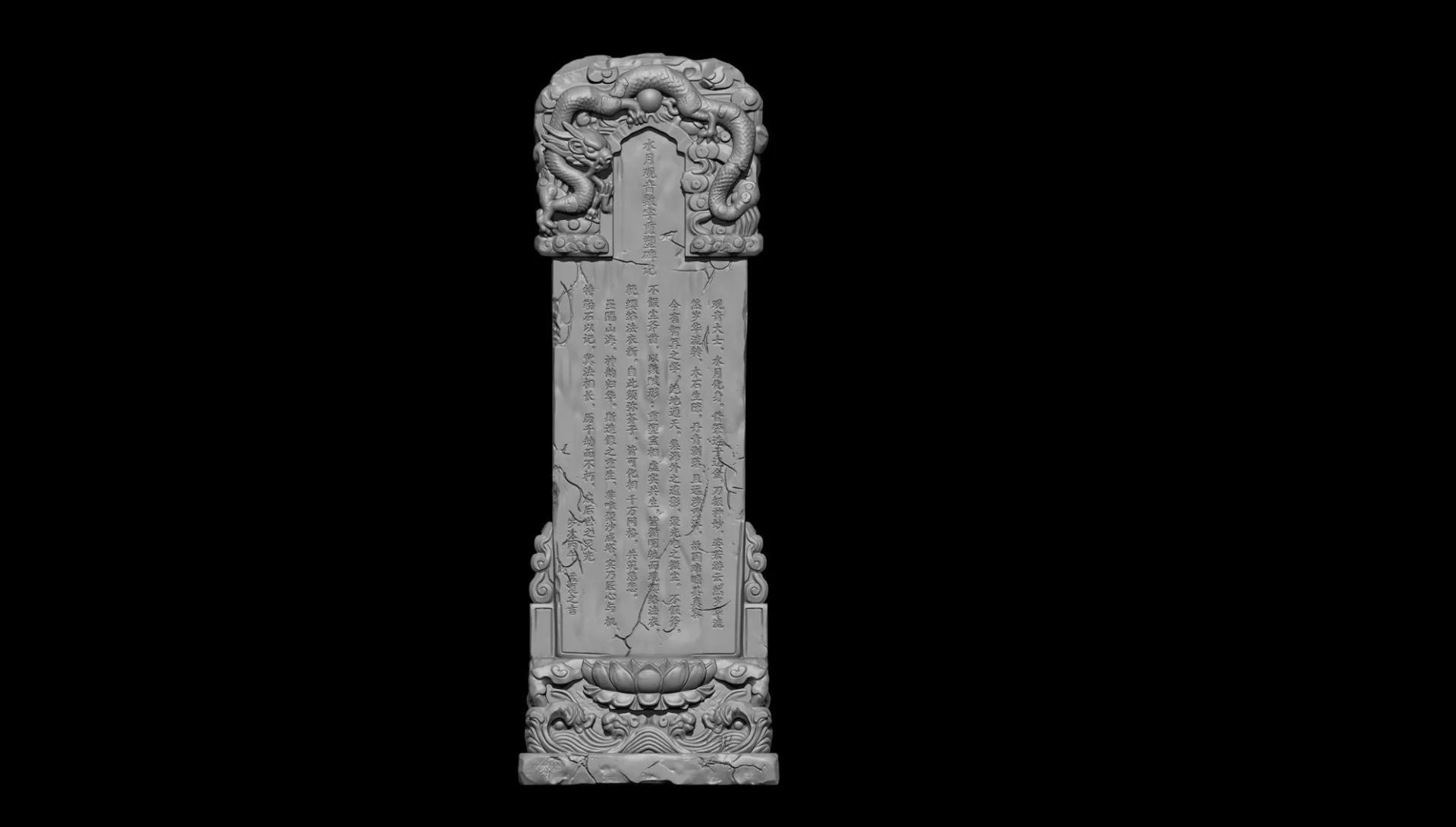
Goal: generate the 3D model from an image of the blank stele, then project the inscription back onto the high-poly model in ZBrush.
- Prepare an image of the inscription. The background must be pure black.
- Generate the 3D base of the stele with Tripo.
- In ZBrush, press Shift+Z to open Spotlight and project the inscription image onto the 3D surface.
- Once it is in position, press Z to switch to painting and brush the text in.
- Export the high-poly model and bake the normals in SP.
Material refinement
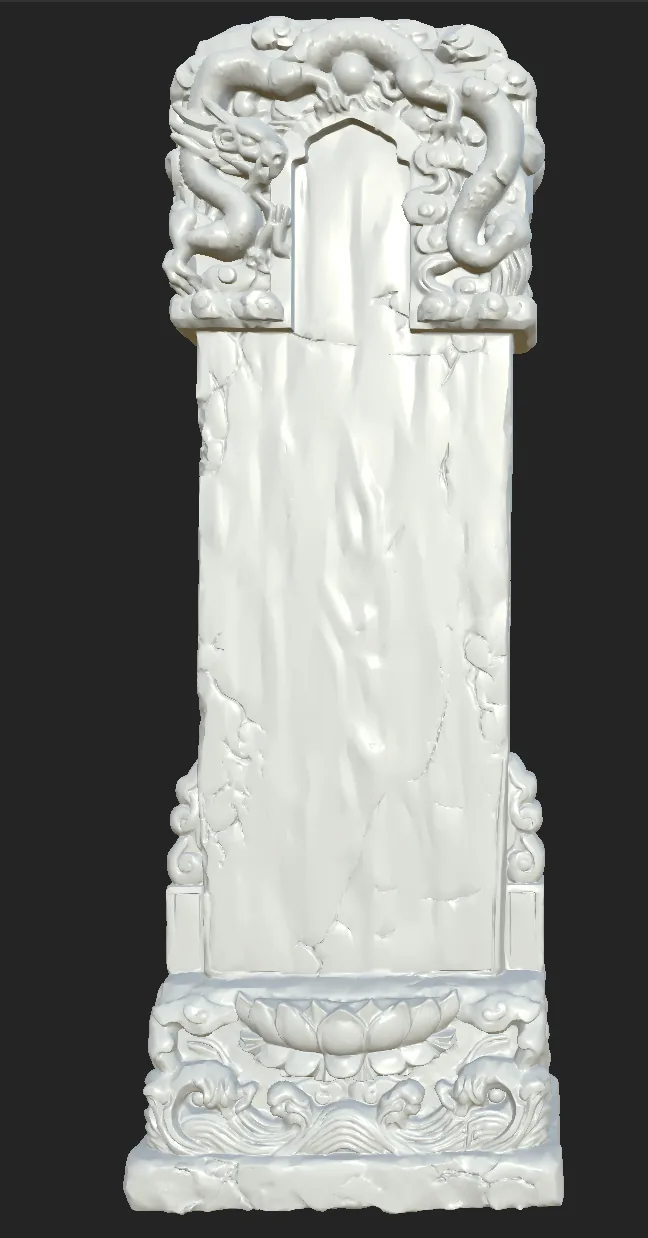
- Import the high-poly model with the projected text from ZBrush into SP.
- Bake the text detail from the high-poly model into the low-poly normal map.
- Rebuild simple materials in SP: stone, moss and snow.
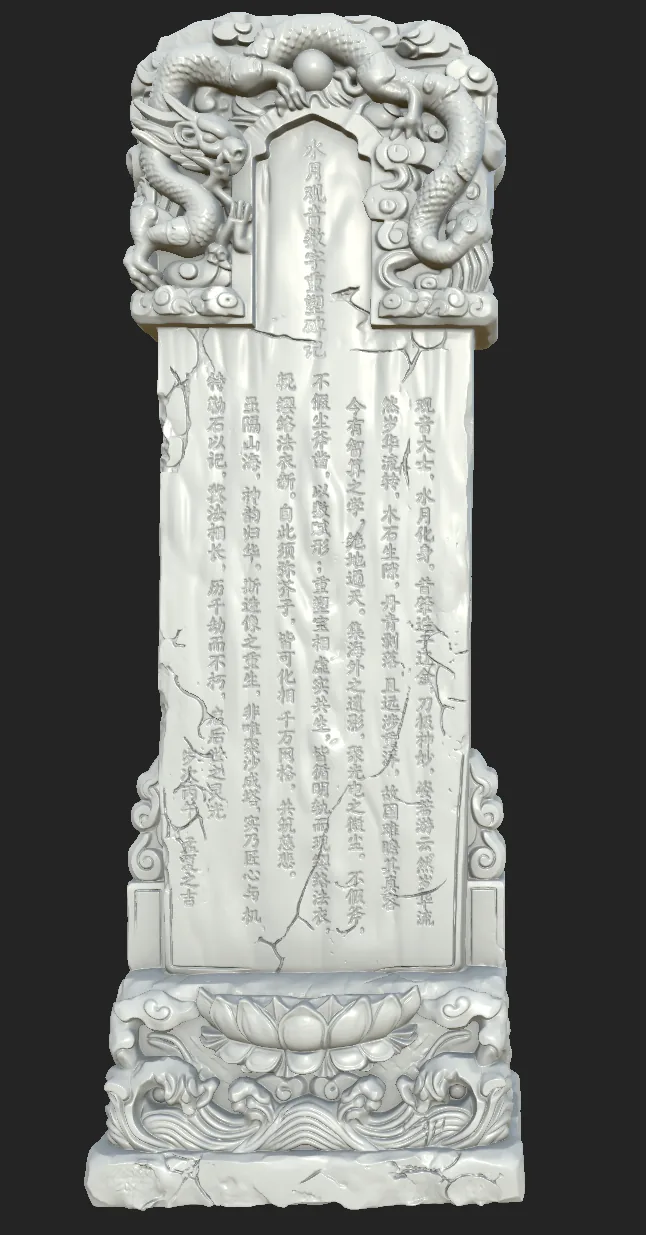
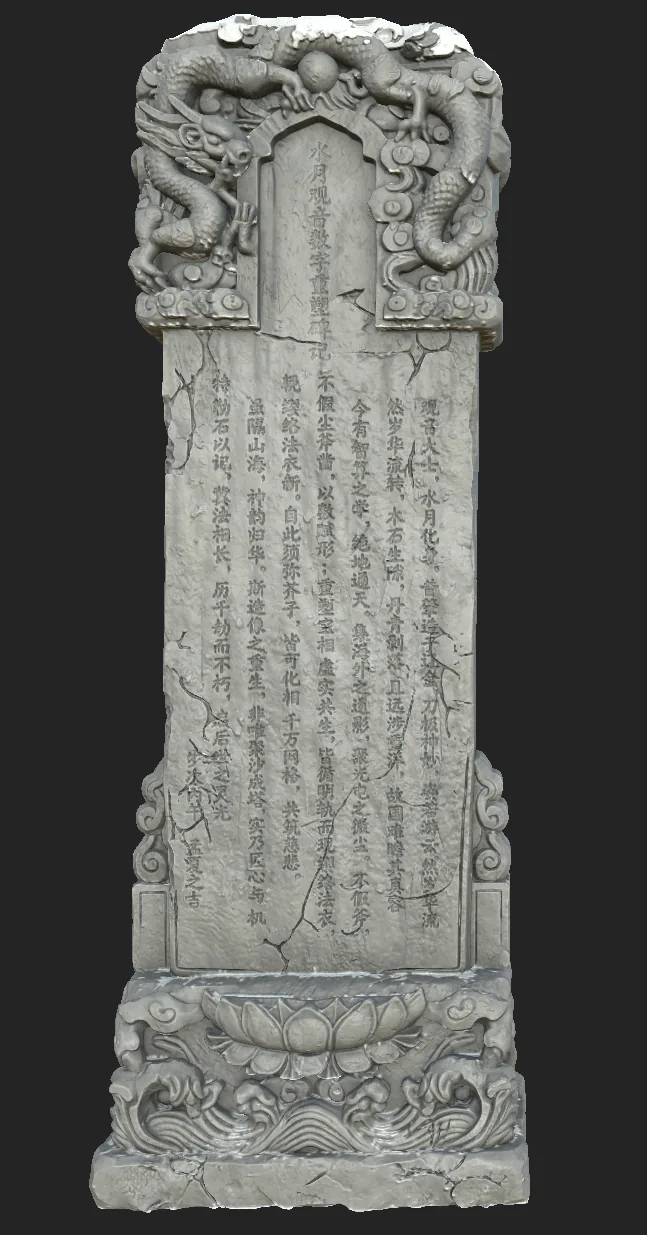
Where to reuse it: any job that turns a 2D pattern into a 3D model, such as armor surface patterns, carved window lattice, embroidery or roof-tile end motifs.
13 / OVERVIEW
Scene Narrative: Zen Temple After the Snow
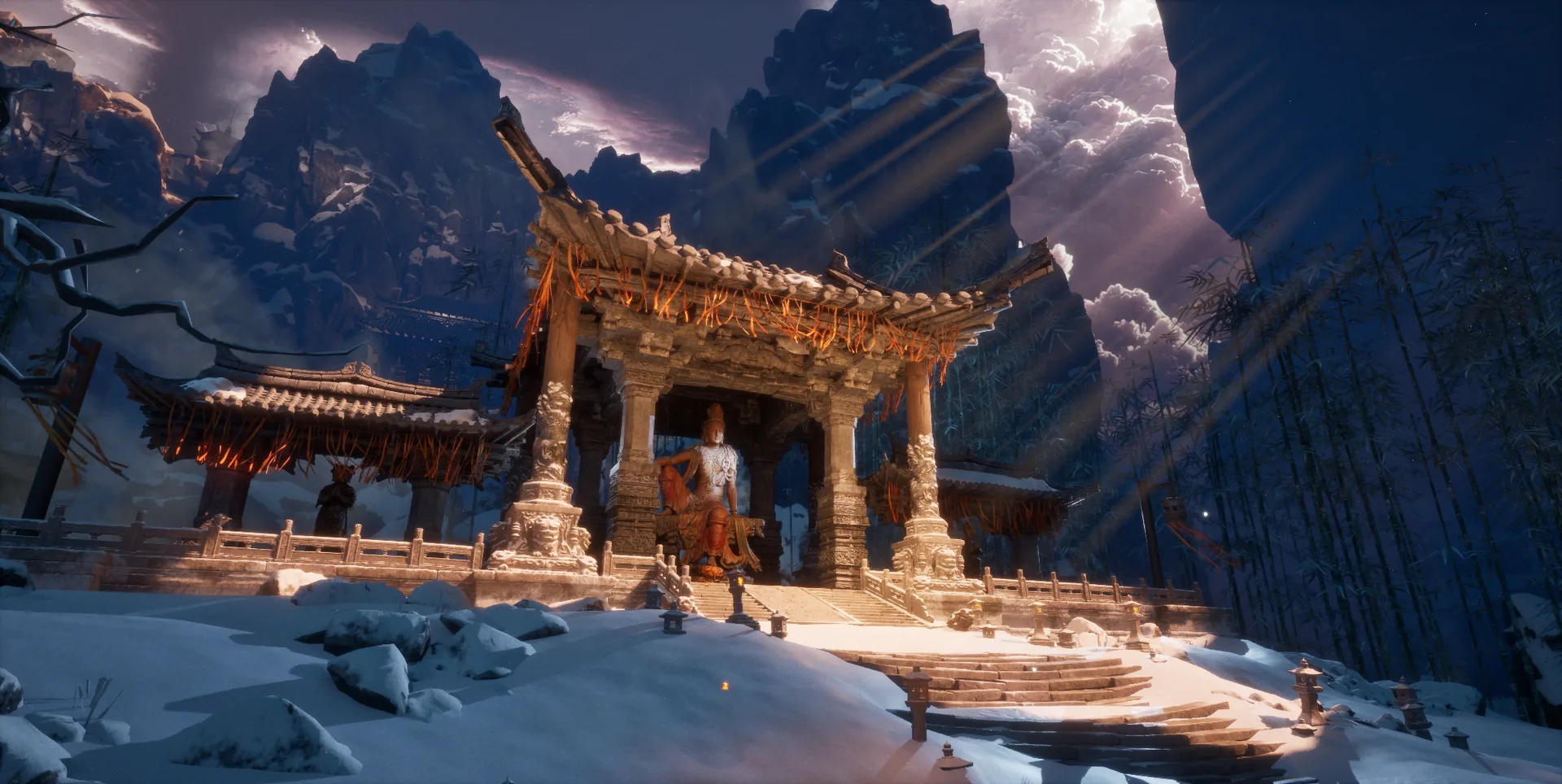
In the end the Water-Moon Guanyin is not shown in isolation: it is placed in a narrative scene, Zen Temple After the Snow. This is the most transferable part of the project. An asset is never the finish line; the scene’s story is the soul of the work.
Scene design essentials
Narrative core: simulate the setting sun after snowfall piercing the temple’s dougong brackets, so Lumen lighting gives the AI model a sense of life beyond the traditional.
Three concrete actions during scene design:
- Write a 200-character scene story: what should viewers feel and see at first glance?
- Pick one core shot: all technical work revolves around it.
- Set one sound-design direction: temple bells, wind, chanting. Sound is half the story.
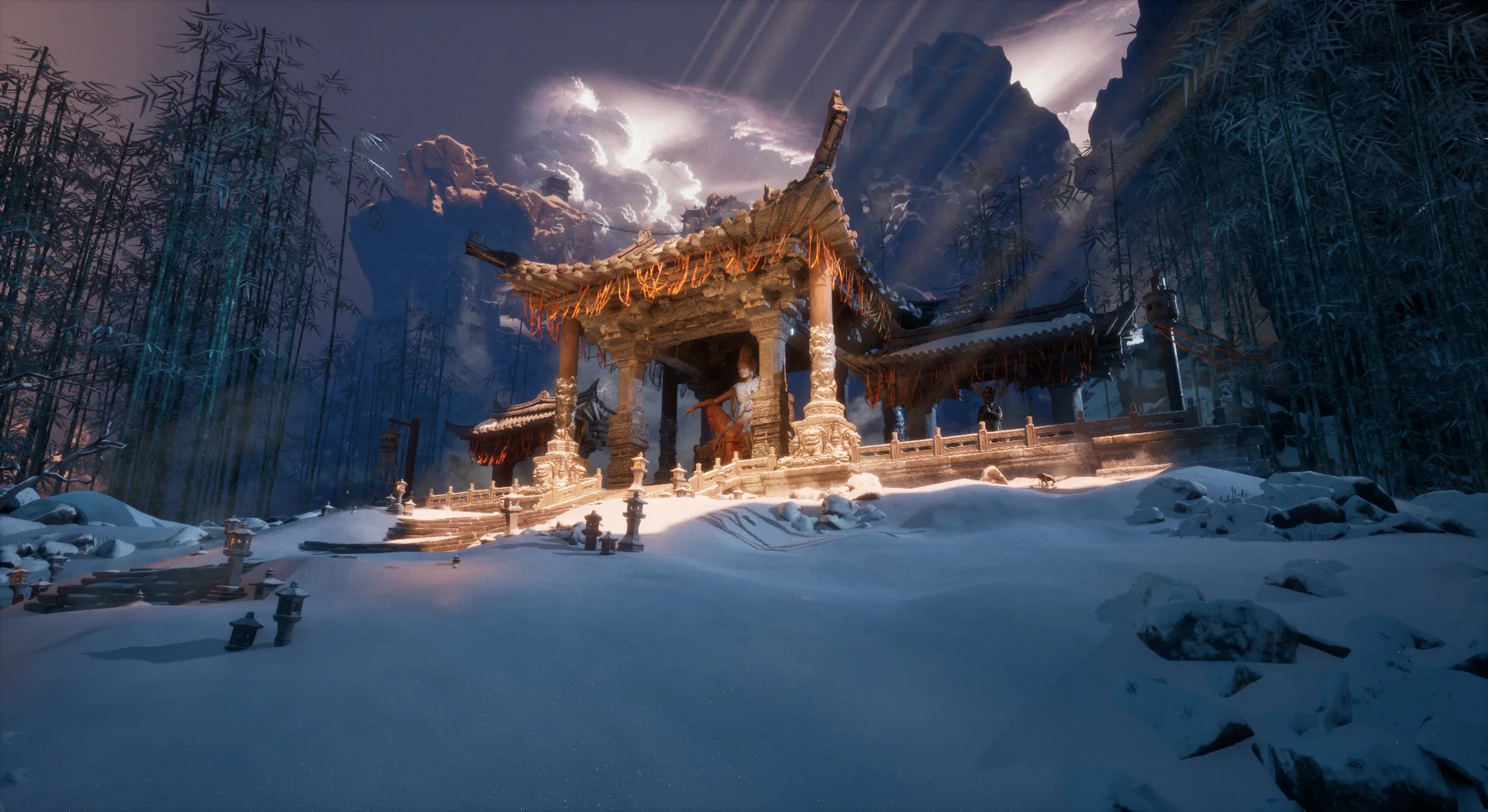
Scene integration
In UE5, the generated Guanyin asset is placed in the snow-covered temple courtyard, and Lumen lighting brings it to life.
“Form given by numbers, not chisels; a sacred likeness reborn where the real and the virtual coexist.” This is the team’s most concise footnote on digital heritage.
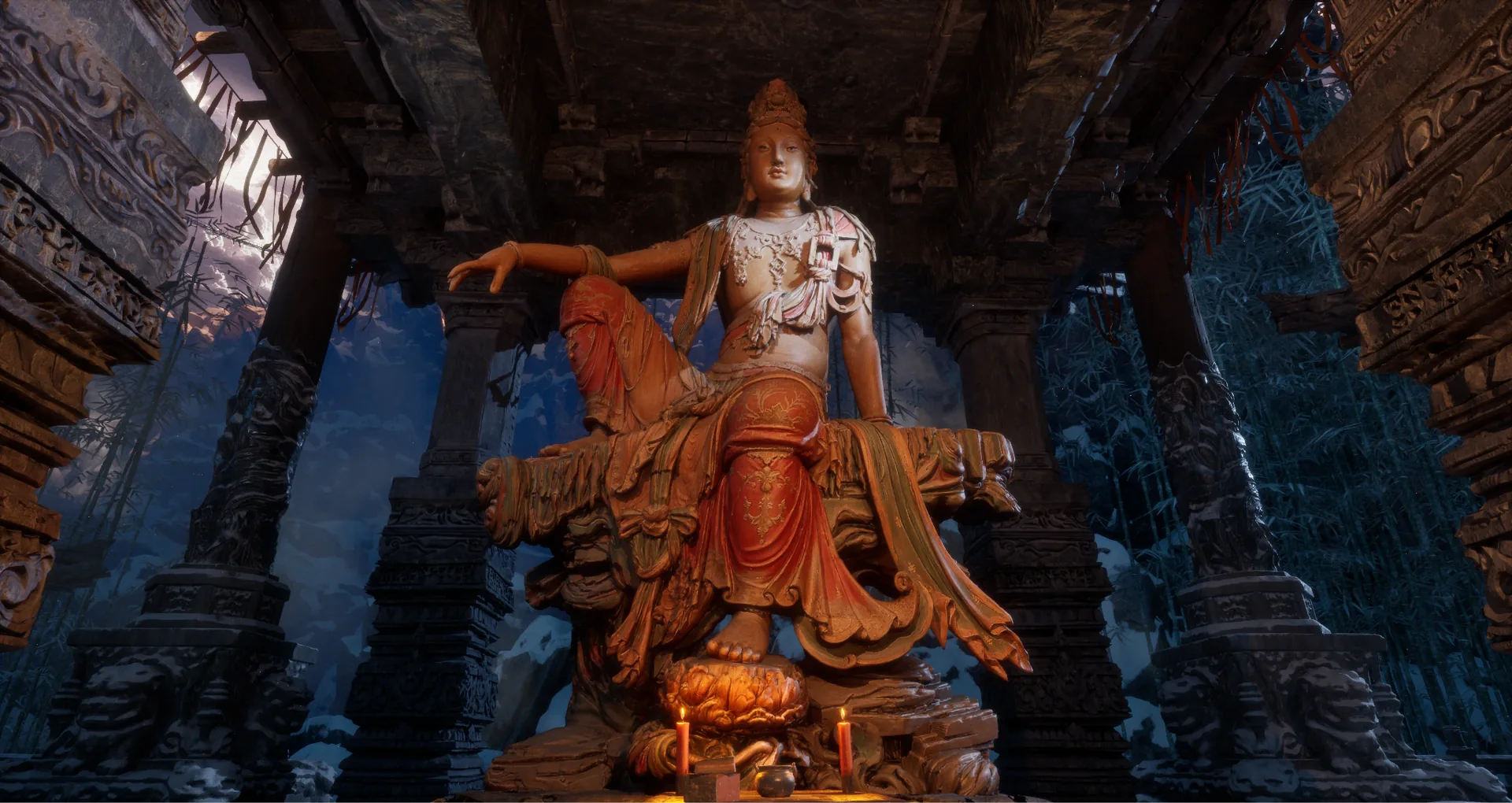
Ultimate detail: the bodhisattva’s spirit
The AI-generated high-precision model and textures capture the weathered grain of the wood and the geometric tension of the pose. The final acceptance criteria:
- At first glance, it resembles the original: it passes the cultural gut check
- At the third look, it is new: AI-enhanced details such as weathering and patina must be visible
- At the tenth look, it holds up: it bears close study under any light and from any angle
AI is not the end point of art but an accelerant for imagination. In the long river of heritage restoration, we restore not just objects, but the cultural meaning that connects past and present.