 Download source
Description
Infinite Canvas X Tripo is an agent-driven AI infinite canvas combined with Tripo's 3D workflow, made for every 3D creator and every newcomer who wants to become one.
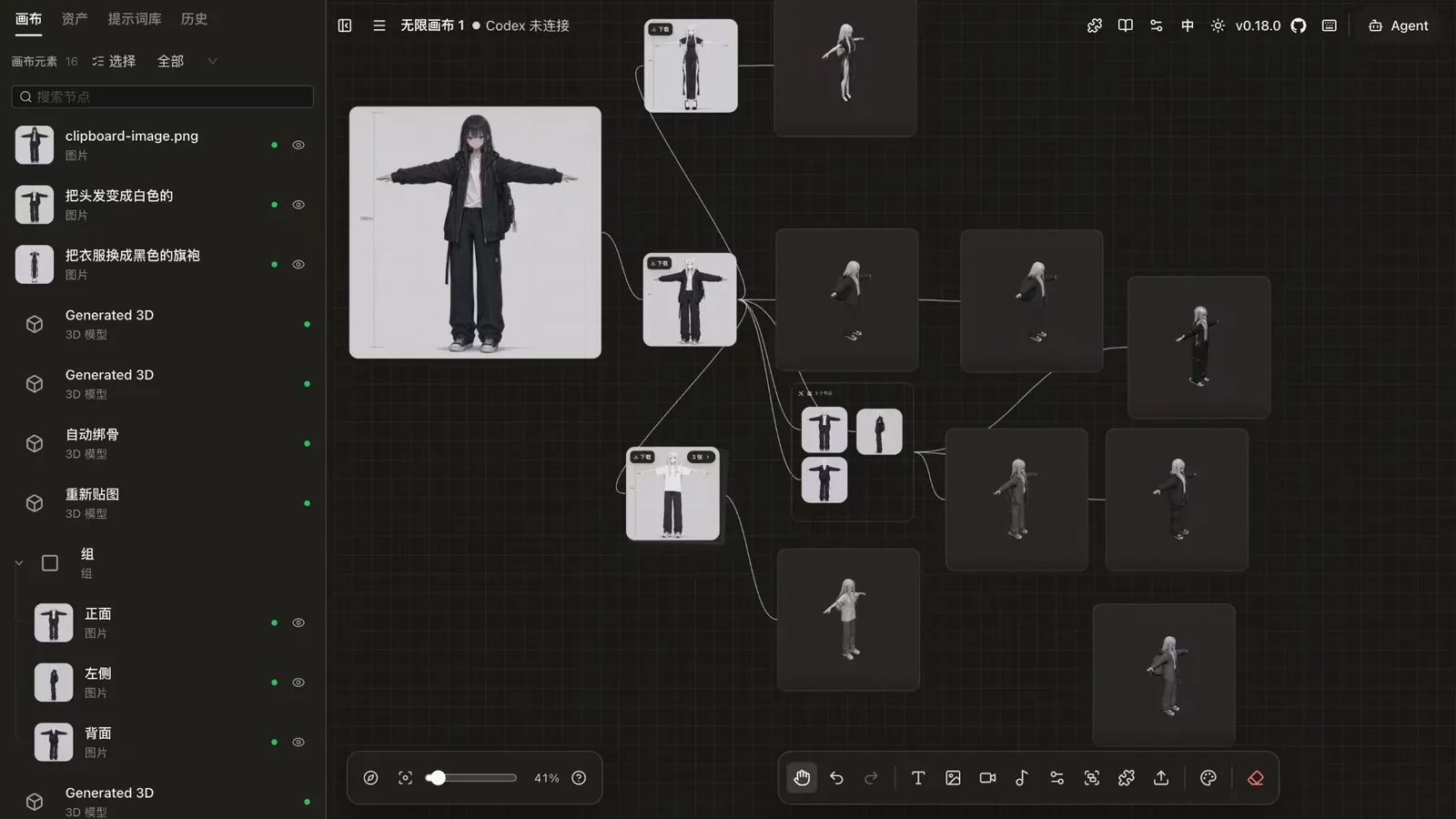
The canvas supports multiple canvas projects, node dragging and zooming, connections, a minimap, undo/redo and import/export. The browser front end connects directly to whatever OpenAI-compatible API you configure for text-to-image, image-to-image, reference-image editing, text Q&A, and audio and video generation, and the way image and video APIs are called can be customized to fit various relay and self-hosted services. A canvas assistant chats and generates images around the selected node and its upstream nodes, then inserts the results back into the canvas, and the prompt library ships with seven open-source sources plus support for custom sources in a standard JSON format.
3D comes from Tripo: text-to-3D, image-to-3D and multiview-to-3D, a viewer inside each node for rotating the model, and a full set of 3D post-processing operations. Finished models can be imported straight into Blender on your machine, or opened as 3MF files in a local Bambu Studio.
Through the local Canvas Agent, Codex or Claude Code can operate the current canvas over MCP and generate 3D directly, and a Codex app plugin registers the MCP server and tries to launch the local agent once installed. A plugin system lets you install, enable, update and uninstall remote node plugins on the fly, with a TypeScript SDK for building your own canvas node plugins.
It is provided as source code, as a web project, and needs to be built locally.
How Tripo was used
All 3D on the canvas comes from Tripo, called directly by both the canvas nodes and the agent.
- Three ways to generate: type a prompt into an empty 3D node for text-to-3D, connect one image node for image-to-3D, or connect two to four image nodes for multiview-to-3D, using the front, left, back and right sockets on the node to set each image's view. Texture, PBR materials, texture quality and a face-count limit are configurable.
- 3D operations: retexture, auto-rig, apply animation, decimate, segment parts, complete meshes and convert formats (FBX, GLTF, USDZ, OBJ, STL, 3MF). Apart from conversion, which writes back to the original node, each operation creates a new connected 3D node. Auto-rigging first runs Tripo's free rig check, so a model that can't be rigged is flagged without spending credits.
- Local software: models go to Blender on your machine through the Tripo Bridge plugin; if a node isn't 3MF yet, it is converted first and then opened in Bambu Studio.
- Agent tools: the Canvas Agent registers 3D generation as a first-class tool. A prompt alone means text-to-3D, and adding existing image nodes means image-to-3D or multiview-to-3D.