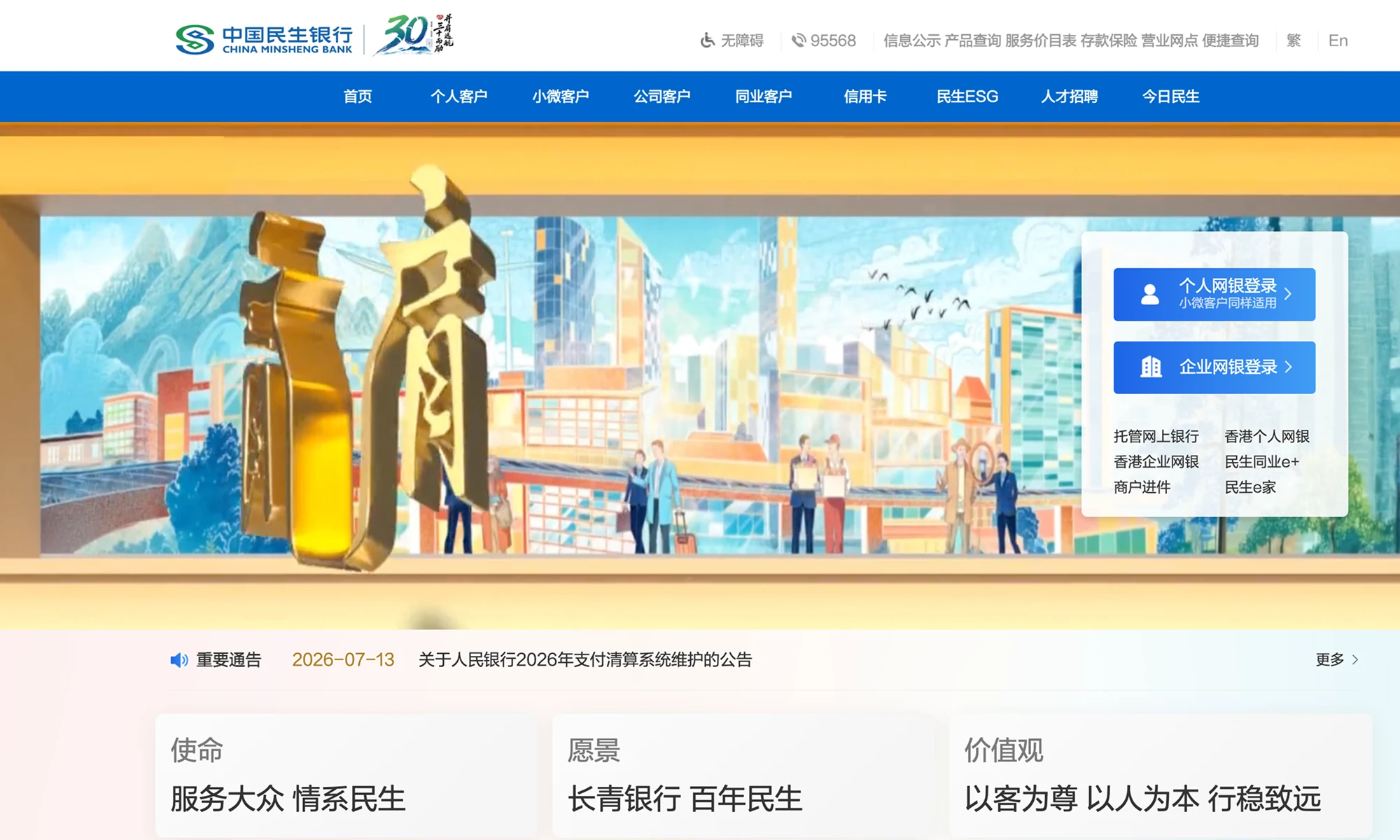

Enterprise Bank Transfer
A top-up guide for corporate users paying by business-to-business (B2B) bank transfer: create an enterprise recharge order on the top-up page, get the dedicated receiving account for this order from the Alipay enterprise checkout, then wire the exact order amount from your corporate e-bank. The 7 steps below cover the whole flow, from creating the order to completing the transfer.
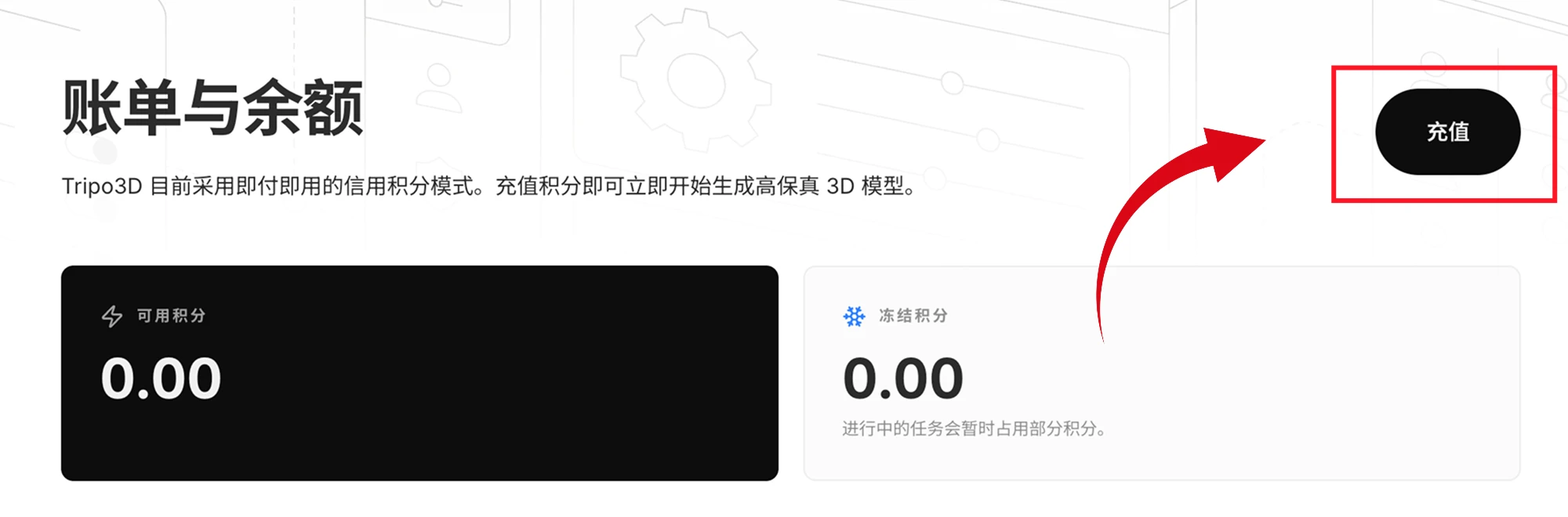
01 | Open the top-up page
Go to the “Billing & Balance” page to review your current available and frozen credits. Click the “Top up” button in the upper-right corner to open the credits top-up page.
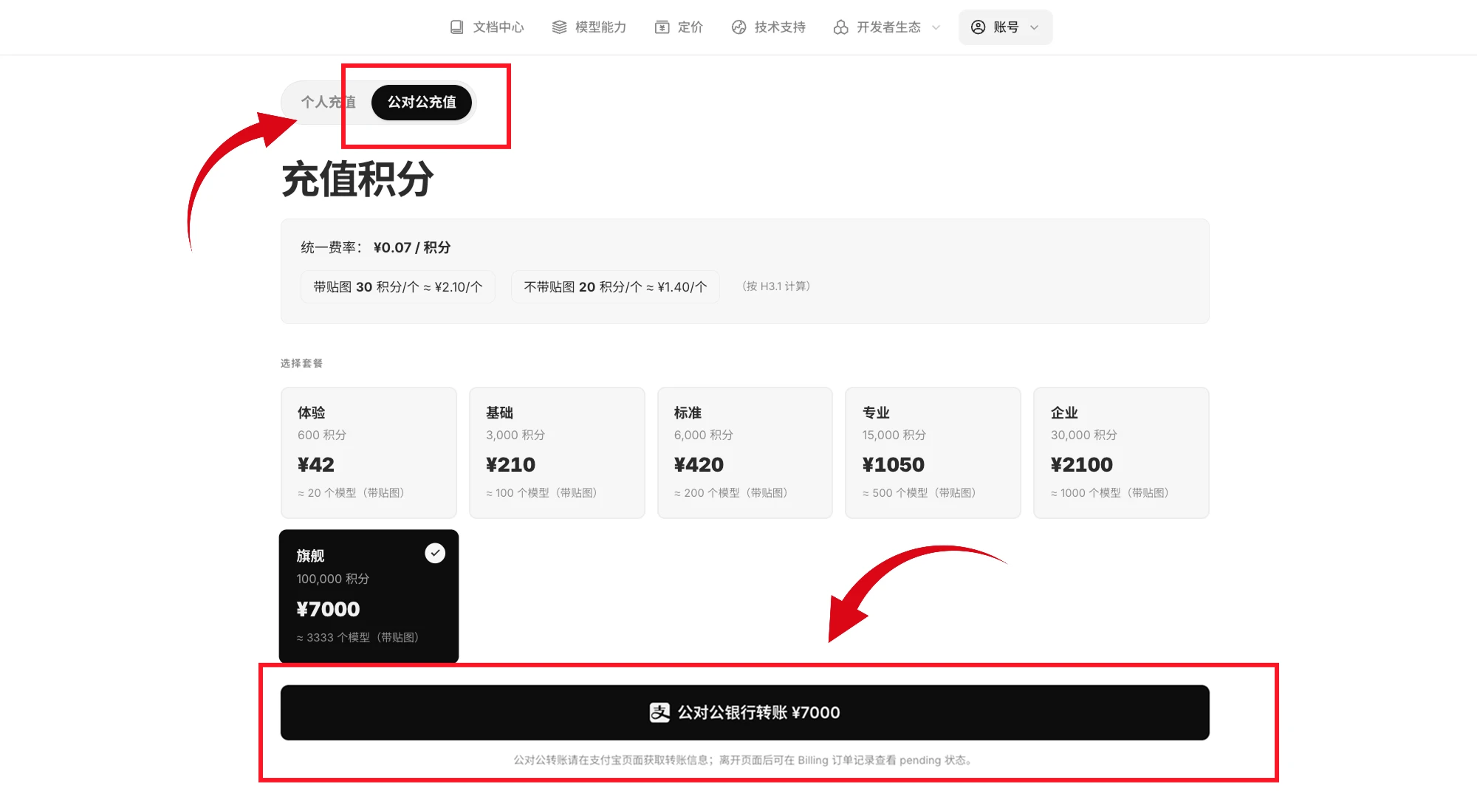
02 | Choose enterprise recharge
Switch to “Enterprise recharge” and pick a package that fits your needs. Confirm the credit amount and price, then click “Enterprise bank transfer” below to create the recharge order.
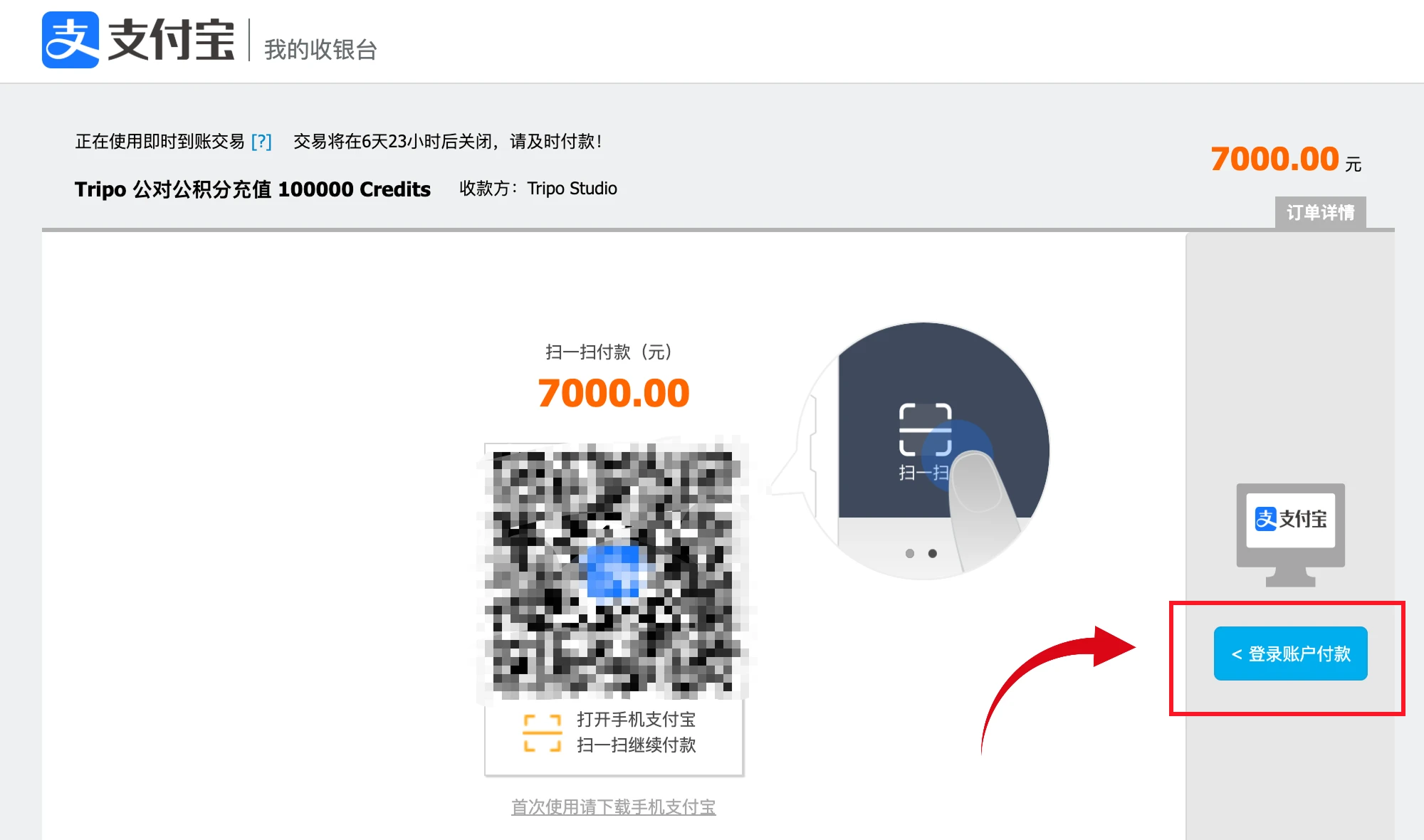
03 | Log in to Alipay
On the Alipay checkout page, verify that the order name and payment amount are correct, then click “登录账户付款” (log in to pay) on the right and continue with your corporate Alipay account.
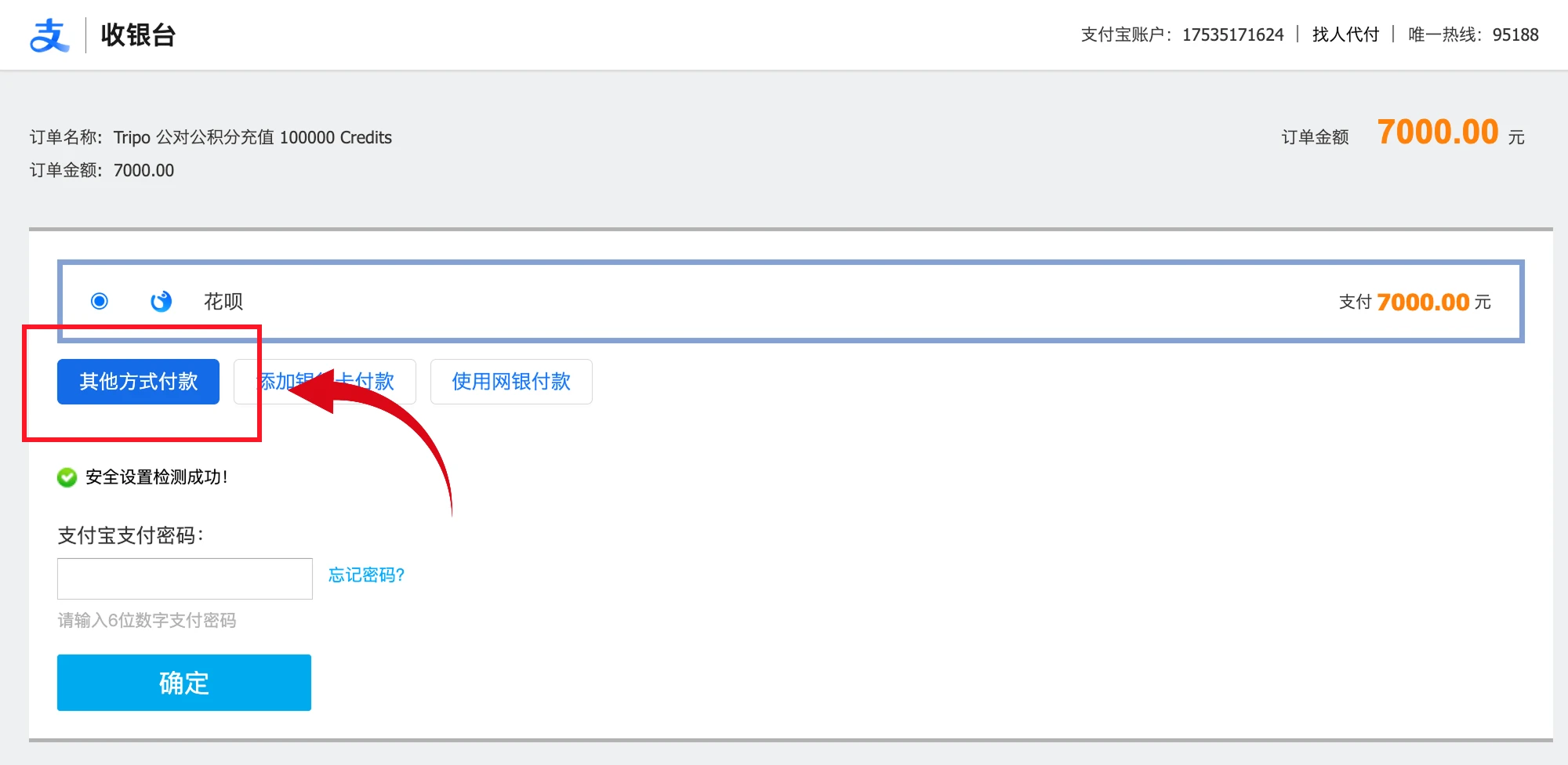
04 | Switch to another payment method
After logging in to Alipay, click “其他方式付款” (pay another way) to expand more corporate payment options. Do not enter your personal Alipay payment password directly, to avoid paying through the wrong channel.
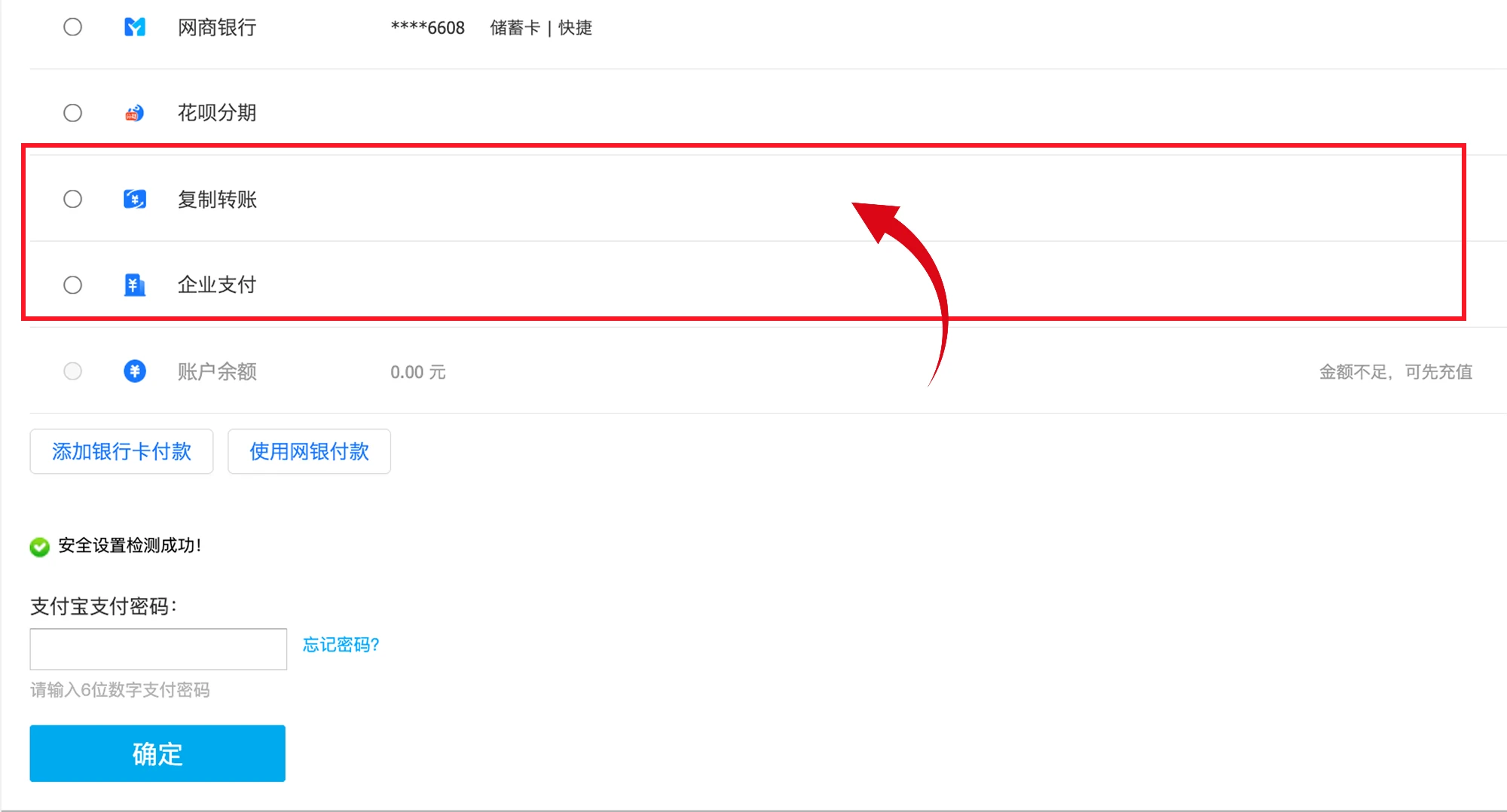
05 | Choose bank transfer
From the payment method list, choose “复制转账” (copy transfer details) or “企业支付” (enterprise pay). We recommend “复制转账”: wire the money from your corporate e-bank to the dedicated receiving account bound to this order.
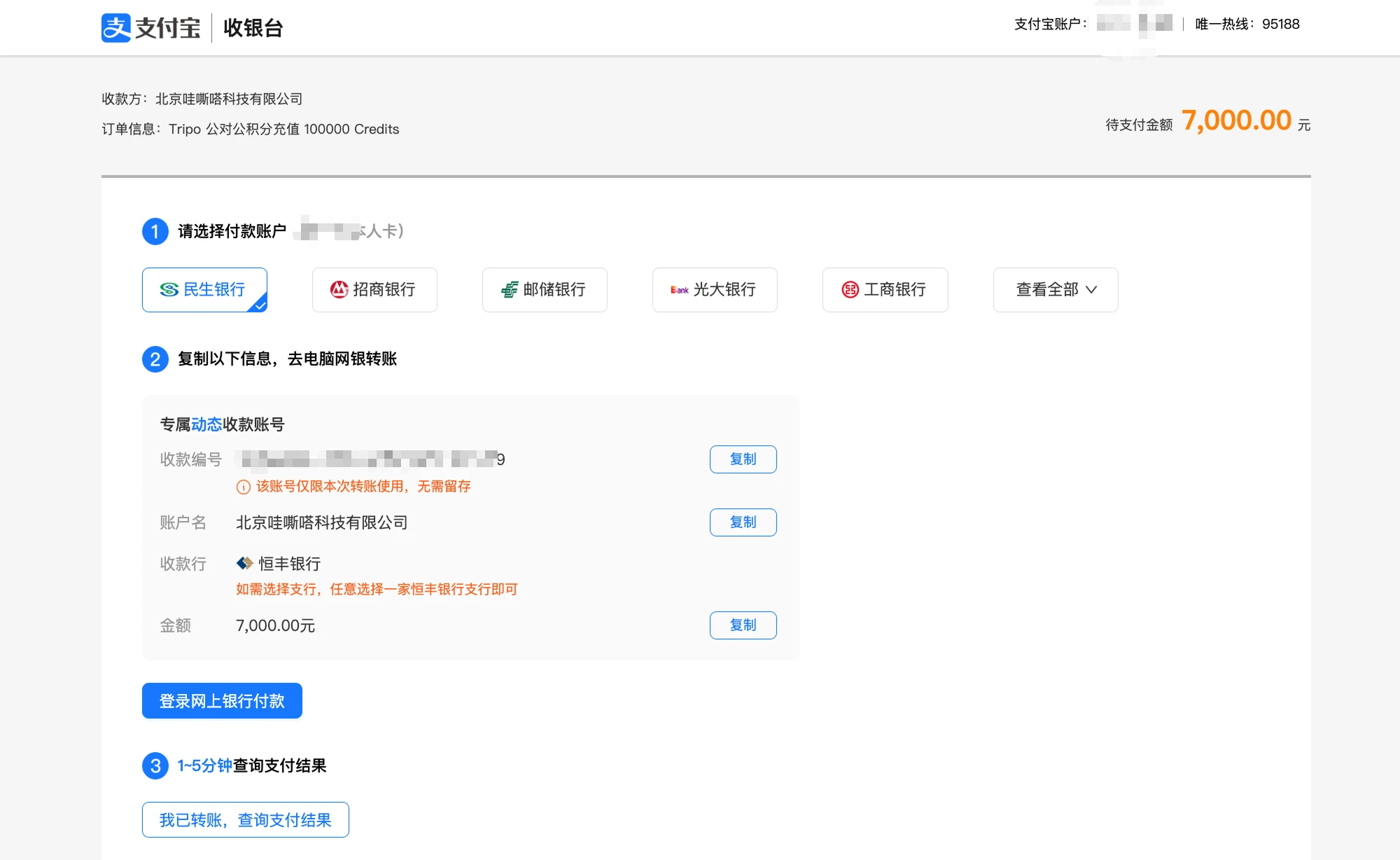
06 | Copy the receiving account details
Select the paying bank, then copy the receiving ID, account name, receiving bank and transfer amount shown on the page. Log in to your corporate e-bank and make the transfer — the payment amount must exactly match the order amount. After the transfer, wait 1–5 minutes, then click “我已转账,查询支付结果” (transferred, check payment result).
07 | Pay via corporate e-bank
Open the selected bank’s official website, choose the corporate e-banking login, and complete the transfer with your corporate account. Double-check the receiving details and the amount, and always use the dynamic receiving account shown on the current order page.