Into the Qingming Scroll
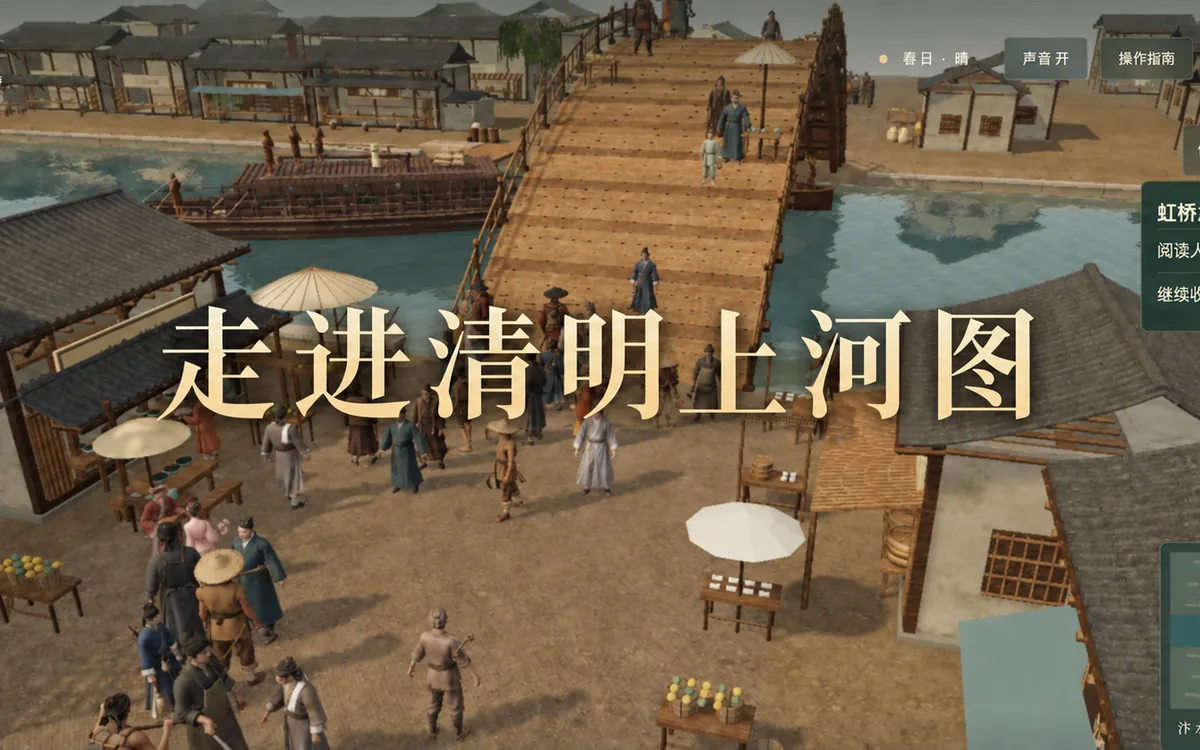
Working in Codex, the author called Tripo MCP to batch-generate 45 Northern Song characters, then rigged and animated them automatically.
View details %%%@%%%%%%%%%#####***++=- %@@@@@@@%%%%###*****+++====------::::::::::::...........
%@@@@@@@%%%%%%%#######*******+%@@@@@@@@%%%####***+++====-------:-:::::::::.................
@@@@@@@%%%%%#####**************%@@@@@@@@%%%%##***+++====-==---::::.::::.........................
@@@@@@@%%%###****++++++++++++++%@@@@@@@@%%%###**++++====-----::::.:.................................
#@@@@@@%###***++++++============%@@@@@@@%%%##***++=====-=--:::::........................................
%@@@@@%##***++++++=====---------@@@@@@@%%%###***+=====----::::............................................
%@@@%%%##***=+++=------::::::::#@@@@@@%%%##***+++====---::::.................................................
@@@%%##****+==----::::.........%@@@@%%%%##****+===---::::.....................................................
%@@%%##*+*====--::::...........%@@@@%%##**+**+====---::............................ ..........................
%%%%#***++==---::.............%%%%%%%##***+++===--:::..................... -.....................
%%%##**++==--::...............%%%%%##*#**+++==---::...................:. =-....................
%%###**+==--::...............#%%%%###***+++==--:::.................*++==-:. +=-:...................
%####*++==-::............. ######*#**++==---:::...............#####**++=-:. **+=-:..................
###***+==--::............ ####****+++==--::::..............*####%%####*++=-. ###*+=-:.................
###**++==--:............ *#*****++==---:::..............=+**###%%%%%%###*++=:. +%%%#**+=-::...............
##**+===-:::.......... ******++===--:::...............:==+**###%%%%%%%###*++=-. #%@@%%#*+==-::..............
****++==-:::.......... **++++===---::.............. .:-=+**###%%%%%%%%###**+=-:@@%%#**+=--::............
***++=--:::.......... +++++===--:::.............. .:-=+***##%%%%%%%%%###**++=-%#**+==-::............
+**++==--::.......... +====---::::............. .:-=++***###%%%%%%%####***+==-+=--::...........
+*++==--::........... ===----:::................ .-==+++**####%%%%%#####***++==-.:..........
++++==--::.......... =----::::.................. .:-==++****############****+++=--.......
+++==--:::.......... ---::::..................... .::--=+++*+*##***####******++++==-:.
=+===--:::.......... -::::....................... .::--==+++*+++***********++++===---:.
====---:::.......... :::......................... %..::--===++++++++++++++++++====----::
-===---:::........... :............................ +%@@@..:::---===+++++++++==========----:::.
===---:::........... .............................. *%@@@@@%....:::---================------::::..
------::::........... ............................... #%@@@@@%%#*.....::::--------=-=---------::::::...
-----::::............ ............................... *%@@@@@%#**++=-......::::::------------:::::::.....
------:::::........... ...........................::#%@@@@%%##*+==-:............::::::::::::::::::........
-----:::::............ ......................::*%@@@@%%#**+=--:...... .............:::::::::...........
-----::::::............ ...............::#%@@@@%%#*++=--::..... ..............................
:::--:::::::::::......... .............:#%@@@@%%#*++=---:..... ............................
:::::::::::::::::::.:..... ..........*%@@@@%%##*++=---:.....#**++=- .........................
.:::::::::::::::::::::::::. .......%@@@@@%%#**+==--::.....@@@@@@@%%%%%%###*......................
:::::::::::::::-----------::. .#%@@@@@%%##**+===-::.....@@@@@@@@@@@@%%%##*+-....................
.:::::::::-----------===========-- +#%%@@@@@@@%%#**++==--:......%%@@@@@@@@@%%%###*+=-:...................
..::::::---------======+++++*****###%%%@@@@@@@@@%%%##*++===-::......#######%%##%###***+==-:..................
..::::::-------=====++++****###%%%%@@@@@@@@%%%##**+++==-::......++*+**###*****+***++==--:.................
...:::::------====++++***###%%%%%%@@%%%%%##***+++==-:::......:----====++++++++====--:::................
....::::-----=====++++***#############*+*++++=---:.............:::::---------:::::.................
....:::-----=======++++********+*+*++===---::........ ..................................
.....:::::----====++++++++++++=+===--:::......... ...................
......:::::::--------===------:::..........
...........::::::::::::.............
..........................
.........
Tripo MCP & CLI
Install a plugin, sign in, and make 3D models right in the chat.
              ##***+++=
        %%%##**++===------
     %@@%##**+==--::::..::
   %@@@%%#*+=--::.........
  @@@@%#*+==-::...........
#@@@%%#*+==-:.............
@@@@%##+==-:..............
@@@%#**+=-:...............
@@%%#*+==-:.......     ...
@%%##*+=-::.....
%%%#**+=-:.....
%%##**+=-:....
%###**+=--:...
###***+=-::....
##***++==-::...
*****++==--:....
****+++===-::....
+++++++===--::....
=+++++====---:::...
-==+++====----:::....
 -========-----::::.....
  ---====------:::::::::::
   ::----------:::::::::::
    .:::-----:::::::::::::
      .:::::::::::::::::::
       .....:::::::::.....
          ................
            ..............
                ..........
                       ...
>_ Connect !!!
Official plugins, CLI, or MCP — installing and signing in use no credits.
Click Plugins below the input box to open the marketplace, search for Tripo, pick the official Tripo AI, then click Install and confirm.
After installing, click Connect in the dialog. The authorization page shows a code: open the Tripo authorization page, sign in with your China mainland account, enter the code and click Authorize. No API key needed.
Start a new chat, make sure Tripo is enabled and send this. The agent usually lists the steps and cost first and starts once you reply “confirm”. To check the connection first, send “Check my Tripo credit balance”, which uses no credits.
Use Tripo to generate a ceramic vase with lilies, then send me the preview image and the GLB download link.
>_ What you can do !!!
Real results — copy a prompt for your agent, or run the command in your terminal.
Describe what you want in a sentence and get a textured model.
Use Tripo to generate a fairy-tale mushroom cottage in high detail with 8K textures
Quads or bare mesh optional
PBR materials and real-world scale optional
>_ Showcase !!!
From Tripothon hackathon entries and community tutorials. Open one to see how it was made.
 Demo
Working in Codex, the author called Tripo MCP to batch-generate 45 Northern Song characters, then rigged and animated them automatically.
View details Demo
Claude Code and Codex called Tripo CLI to batch-generate from an asset list; all 162 models in the game come from Tripo.
View details Demo
Claude Code drew reference images, ran Tripo CLI image-to-3D and checked the previews itself to add 12 key models.
View details Demo
CLI scripts chained concept art, P2 image-to-3D, retopology and part segmentation to make about 150 tabletop miniatures.
View details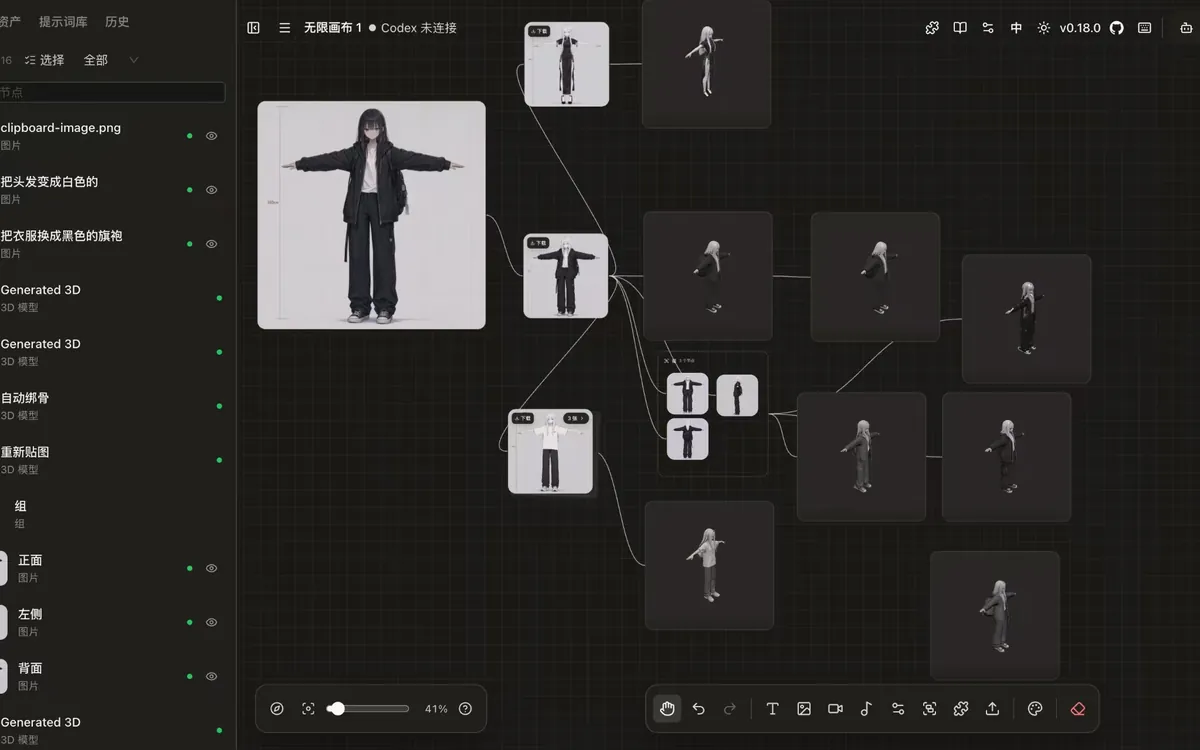 Demo
The canvas agent connects to Codex and Claude Code over MCP to run text-, image- and multiview-to-3D right inside nodes.
View details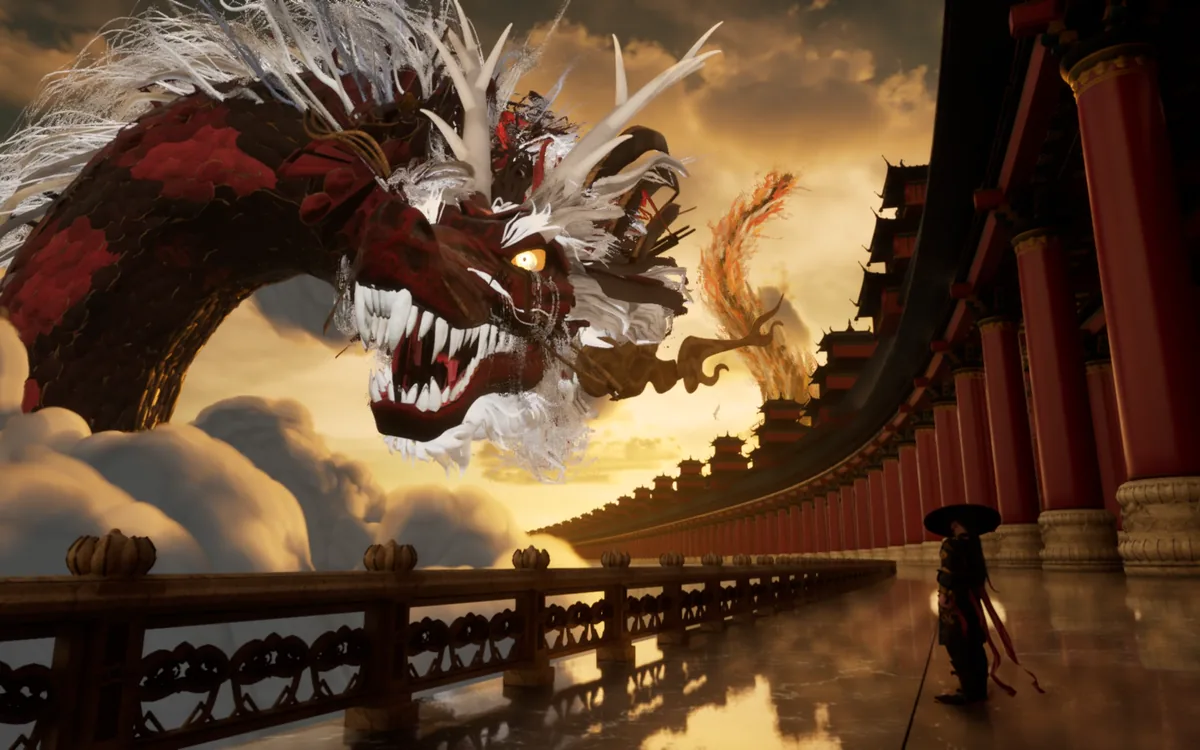 Demo
Kimi’s official tutorial: code drives Blender to build scenes, while Tripo models the characters and statues.
View details>_ FAQ !!!
Official plugins are ready-made Tripo extensions in Kimi, ZCode, WorkBuddy, DeepSeek Harness and MiniMax Code: install, sign in and generate in the chat. It’s the easiest option. Tripo CLI is a command-line tool on your computer (Node.js 20+): send one message and any agent that runs commands installs it for you and saves models straight into your project, or use it yourself in a terminal. MCP config is for developers who want Tripo in any MCP client: run npx -y tripo-cli mcp locally, or use the remote URL https://developers.tripo3d.com/mcp. No coding? Choose “Official plugins”.
No coding? Install a plugin or send one message. Developers can use the command line or MCP config. Three steps either way.